Category Archives: blog

Amnesia turns Microsoft Surface into giant interactive business card readers, and Razorfish “Table Toss”

Since late last year, Amnesia of Razorfish in Sydney have been the lucky owners of only the few Microsoft Surface computers in Australia and they’ve been busy. One of the latest demos they’ve developed is a business card scanning application that recognizes special markings on the cards and fetches the person’s social networking feeds.

Having to provide a $12k Surface computer to every recipient of your business cards is probably not the most economically sound solution to make your business cards stand out, but as for the cool geek factor, the only thing better would be a business card that’s printed on a real CPU chip or graphics card one can then plug into the PC. Suddenly AMD, Intel and NVIDIA employees would become very popular.

An interesting alternative use for this application might be another type of cards, game cards which come alive with animated characters and an interactive gameboard that takes games like miniature wargames or even monopoly to the next generation.

Speaking of which, some developers at the (apparently Surface-aplenty) parent company Razorfish also developed this cool physical interactive game for the Surface called “Table Toss”. I should point out the kid giggling is not part of the game.
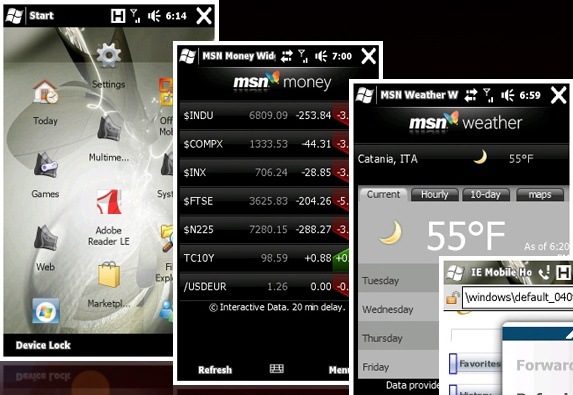
Widgets: Windows Mobile 6.5 joins the “web applications” bandwagon

widgets

Screenshot credit: www.wmpoweruser.com

In what might appear to be the perfect definition of irony, the iPhone’s first and hastily-forgotten application development platform built on top of simple web technologies – HTML, CSS and AJAX (Javascript) – is being newly introduced as “widgets” to Windows Mobile, a mobile operating system that embraced native third-party applications since day one.

WMPoweruser.com is reporting these “widgets”, predictably packaged as .widget files – a set of compressed HTML, CSS, Javascript and graphics files – can be launched from the Start menu to a chromeless version of Internet Explorer Mobile 6 with all of its upgraded AJAX-capability goodness. Some widgets that are already bundled in leaked builds of WM6.5 includes a Live Search widget, MSN Money stock widget and MSN Weather widget, and they don’t look half bad if not better than most Windows Mobile applications out there I might add.

Now, as backwards as this move might seem, I think Palm said it best when they announced the Pre and its new operating system webOS, “…there’s 10 million web developers out there…and every one of them can develop for this platform”. Don’t forget what was possible with web applications on the iPhone.

As a web developer myself, Windows Mobile 6.5 is building momentum to be a worthwhile release after all.

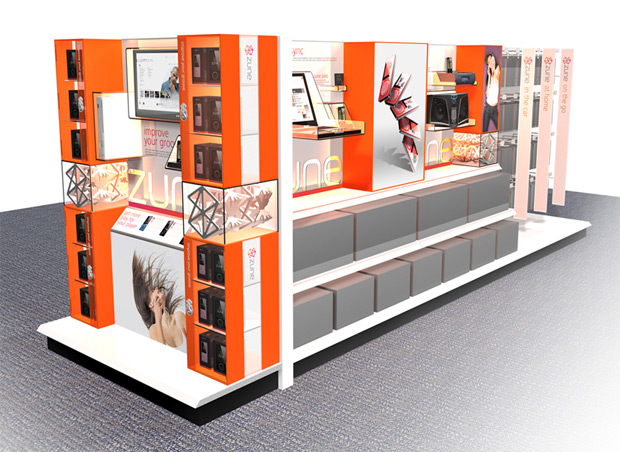
Renders of flashier new Zune retail displays

zuneretail1

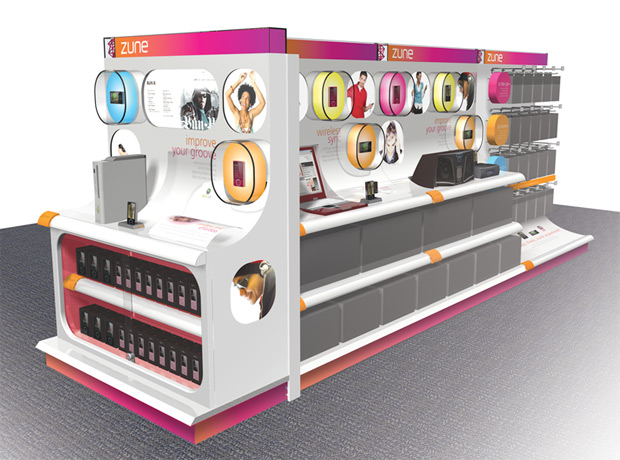
The next time you’re at an electronics store (if they’re still around), you might have to put some shades on if you’re to walk past the Zune display cabinet. Planned Marketing Solutions International (PMSI), an established creative agency out of Oregon, has been working on a redesign for the largely brown Zune retail displays that are in many US electronic stores today. They’ve recently put up some renders of this on their Flickr stream.

zuneretail2

The new Zune retail display concept features brighter orange and pink colors and adds focus to the features that differentiate the Zune, including wireless synchronization and XBOX360 integration. Of course, these are nothing more than renders and what it might look like with solid materials, if it becomes realized at all, is a whole other story.

Why Windows Mobile 6.5’s honeycomb menu is not just a “glorified grid”, rather, simple ingenuity

wm65honeycomb

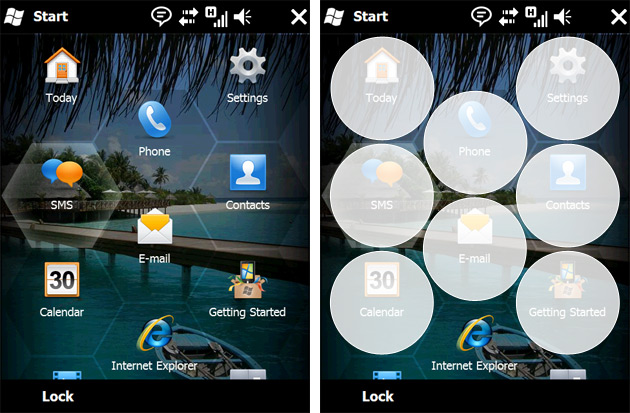
Several weeks ago, some pundits were quick to dismiss Windows Mobile 6.5’s honeycomb menu as a “glorified grid”, an Engadget editorial put it – “a sign that Microsoft has gone out of its way to avoid a grid”, but that’s what happens when misinformed “journalists” try to appear smart. The truth is, the honeycomb from a usability perspective is superior than traditional square grids for a touch interface. Here’s why.

Contrary to popular belief, the tip of human fingers is not squared, but in fact circle-shaped when depressed against a hard surface like a touchscreen. When you’re space-constrained as you are in something like the applications menu – where there’s a fine balance between how many icons can be displayed at one time and how easy it is to hit the icons, large circular hitareas makes it easier for users to touch the desired icons and avoid accidentally hitting nearby icons.

A grid is the most efficient method to pack as many squares into an area as possible, but not for circles. The mathematically most efficient method to arrange non-overlapping circles – a problem called “sphere packing” – is actually and as you might have guessed by now, hexagonal.

honeycombgridcompareWhilst the example on the right is not perfect (two-half circles does not in this case equal one full circle), the grid takes up 10% more room to display equally sized circles than the hexagonal arrangement.
One perspective to appreciate this figure is the fact for a grid to achieve the same item-area density, it would have to reduce the size of each item by 10%, thus also reducing its usability.

So the next time you see something new and shiny from Microsoft, before you dismiss it for a poor clone of an existing product or idea, just remember there might be a possibility, the slightest possibility, that some thought and reasoning is behind the decision.

Microsoft Office Labs vision 2019 (montage + video)

[flv:officelabsmontage.flv 600 400]

When Microsoft decides to imagine the future, it never fails to impress. Not only do you have some of the smartest people envisioning what’s possible, but they also invest so much into communicating these ideas through sights and sounds which the production value can be compared to most blockbuster sci-fi films.

Today at the Wharton Business Technology Conference, Microsoft’s Business Division president Stephen Elop unveiled the latest production from Microsoft Office Labs called “2019”, starring stock photo men, women and children playing with the next-generation of communication, collaboration and production technologies. (via Steve Clayton)

Those with a keen eye and a good memory might recognize a few familiar concepts in this video already shown in earlier videos of the “envisioning” series, for example the future of personal health, having said that, I believe there’s still a couple of new never-before-seen concepts sliced between. Please correct me if I’m wrong. And I’m not wrong. Update below.

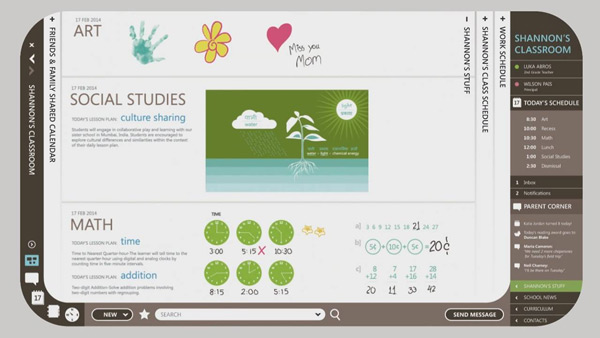
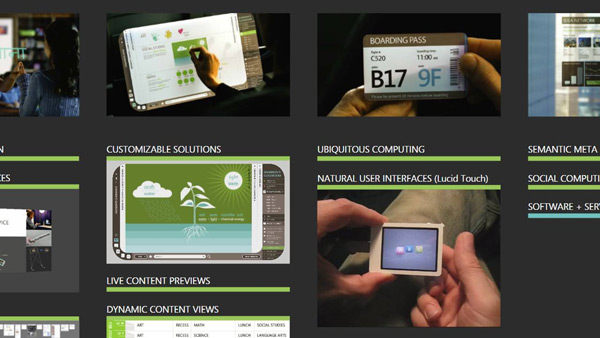
Update: I’ve been able to get my hands on the new “2019” video in its full glory. This 5-minute long spectacle is available separately below. Some of the new technologies demoed including a “transparent wall” between two classrooms around the world, animated drawings, realtime conversation translations, surface displays, electronic boarding cards, transparent displays, mini projectors among many others. The electronic newspaper is definitely my favorite.

[flv:msofficelabs2019.flv 600 360]

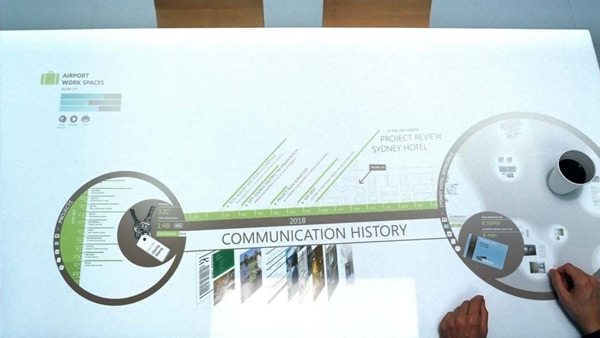
And for those who like to analyze every pixel as much as I do, here’s a couple screenshots I extracted from Stephen’s PowerPoint deck. An interesting future indeed.

Get your Windows 7 Beta DVD here

windows7dvds

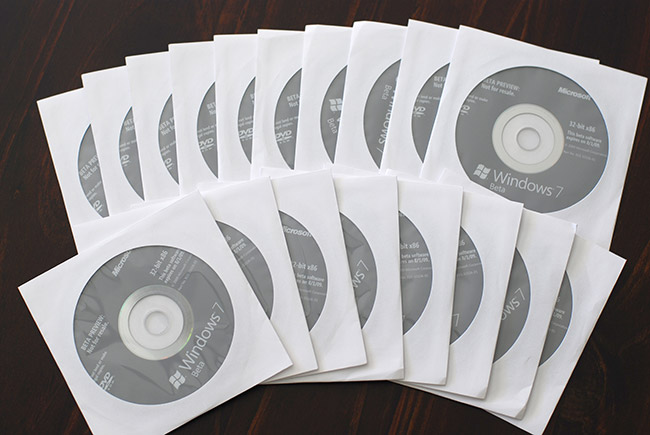
In my recent travels to Microsoft Australia in Sydney, I’ve recently inherited a small fortune of Windows 7 Beta (32-bit) DVDs. After many failed attempts of building a “house of cards” out of fifteen of these DVDs, I’ve come to realize that this is simply too many Windows 7 Beta DVDs for one person.

Now that the public Windows 7 Beta download from Microsoft now officially closed, these DVDs are a great way to try out Windows 7 Beta if you haven’t already without resorting to filesharing websites or a friend of a friend’s uncle who works at Microsoft. On the other hand if you already have Windows 7, these also serve as great coffee mug coasters and ninja throwing projectiles.

If you would like the chance to win one of these DVDs mailed to you (international readers welcome), please send an email to [email protected]. The email can be blank, contain a quote from Einstein or a picture of your cat – it doesn’t matter. Fifteen (15) winners will be picked at random on Friday 27th February 2009 (Australian time). Product keys are available separately from the Microsoft website.

PS: I have been and am currently still on holiday. Regular programming will resume Saturday 28th of February 2009. If you would like to see where I’ve been, have a look at my Flickr stream.

Update: The contest is now closed. The winners will be picked and contacted shortly.