Category Archives: blog

Microsoft Enviroment video reveals datacenter server numbers and power consumption?

It’s probably safe to bet that all of Microsoft’s online operations doesn’t run off a single server in the basement of Gates’ house (on the other hand Apple’s MobileMe might actually be running in Jobs’ basement), so how many servers do Microsoft actually have? Microsoft never says and no one seems to know for sure except the few numbers thrown around including a notable “10,000 new servers a month“, however, a recent promotional video produced by Microsoft’s Environmental Sustainability group may have accidentally spilled the beans.

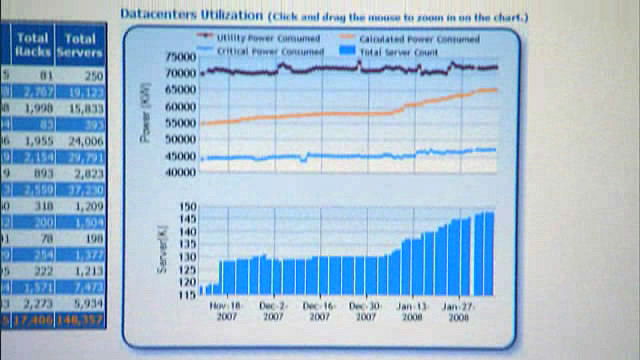
The following screencaps are from taken from the video Q&A with Rob Bernard, Chief Environmental Strategist, at 2min 29sec to 2min 35sec for those of you playing at home.
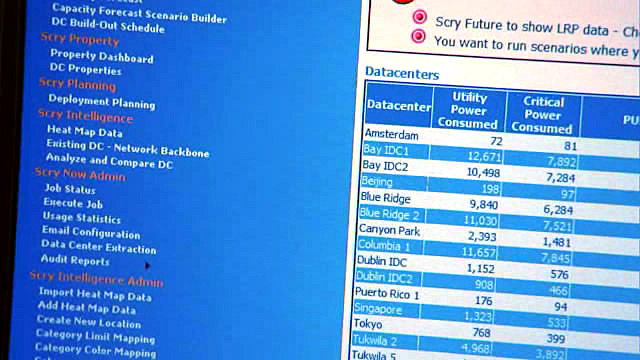
Some quick stats gathered from the above clippings: 15 datacenters hosting 148,357 servers sitting on 17,406 racks consuming 72,500KW of utility power as of the end of January 2008 (as indicated by the bar chart). If you’re a bit of a imperial measurement person, that’s 97,000 horsepower. So the next time you visit Live Search, think of the horses.

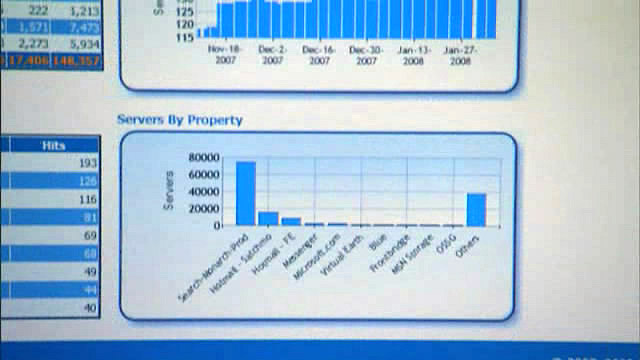
On the same page there’s also an interesting graph showing the distribution of servers per “property”. Live Search is in the clear lead with approximately 75,000 (50%) of the servers pushing out those less-than-desirable search results, followed by Hotmail. The other notable property occupying a large chunk of the servers would be “other” (appropriately named), which one could assume be dedicated to XBOX Live services and the like.

Assuming these statistics are real and accurate, then at the growth rate of 10,000 servers a month Microsoft should be at 218,000 servers at the end of August 08. A mind-blowing number. They’re going to need more horses.
Launching Aqua Taskforce for Mac OS X users

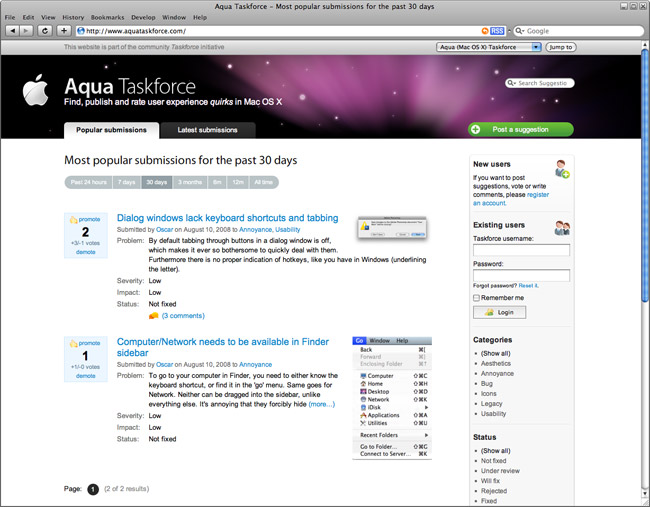
One of the first requests I received after launching the Windows UX Taskforce was “when can you make one for Mac OS X”. This came at a surprise to me because I didn’t know OS X had user experience flaws, but apparently it did and still do. Having said that today I’m proud to launch Aqua Taskforce, a taskforce site for Apple users to submit, vote and comment on OS X user experience quirks.

Windows UX Taskforce has also been renamed to Aero Taskforce for consistency. One login will work on both sites.

On the front-end you’ll probably notice that the site is visually different with a distinct Apple styling – which looks amazing I should add. Special credits to my friend Oscar for the hard work and more ahead of him. Don’t worry Windows users, Aero Taskforce is next in line to receive a visual makeover.

However what I’m more proud of is the changes on the back-end which some might have noticed via the different URLs. The new back-end has been re-engineered to support multiple (taskforce) sites with one codebase and a shared login system. Now I can deploy multiple Taskforces in just a matter of minutes. If you run a business and are interested in setting up a hosted but customized taskforce site for your products or services, please contact me.

Windows 7 to add slideshow wallpapers, theme gallery and theme packs

Don’t worry Windows 95 Plus! enthusiasts, Microsoft hasn’t forgotten about you and your themes. A recently updated MSDN Library document shows that Microsoft hasn’t just brushed themes under the carpet, but instead dusted it off, added some new polish and is even putting it under the spotlight.
The document “Creating and Installing Theme Files” (now edited) has been updated with several “additions to the .theme file format were made for Windows 7”. They include:

Themes
The [Theme] section of the file contains the following two attributes:

Icon=module,-iconId (example: themeui.dll,-123) or pathToIcon (example: MyTheme.ico)
Windows 7 and later. The icon to show in the theme gallery, either an embedded resource or a path to an .ico file. Paths are relative to the directory of the .theme file.

Desktop Appearance
You can create custom wallpaper for the desktop and specify a path to the graphics file. Additionally, this section of the .theme file can specify whether the screen saver is active. The following example shows how to do modify the desktop appearance. Windows 7 and later: If the slideshow is active, the path can be a path to a folder containing multiple images, or a colon-delimited list of image files.

Windows 7 and later. The following attribute is set to “1” to enable a slide show as the wallpaper.
Slideshow=1

Theme Packs
Windows 7 and later. A theme pack is a .cab file that contains not only the .theme file but also the files needed to implement the theme on another computer, such as sound files and images. Users can create theme packs through the Personalization application in Control Panel.

This sudden rejuvenation in themes excites me and puzzles me at the same time. On one hand, I have a lot of fond memories with themes in Windows 95 Plus! – the sound effects would always be so bizarre. On the other, OS GUI customization is becoming much less common – much less so in Vista than compared to XP.

Personally, the idea of using a third party visual style in Vista has never even crossed the mind and I’m someone who wouldn’t think twice about using a custom style in XP. Does anyone else still use custom styles or even custom themes (cursors, sound effects)?

Update: The Windows 7 information has now been removed. Oh come on Sinofsky, give me a break.

Windows 7 EULA: watch this space

You have to hand it to those lawyers, always trying so hard to protect their mumbo jumbos. The placeholder page for the Windows 7 End User License Agreement is now live (and has been for at least 2 weeks).

There’s not much on the page yet, but all you privacy enthusiasts like myself should keep a close on this page to make sure no personal information is transmitted anywhere through previously unannounced functionality which may interest some technology enthusiasts who like that sort of stuff but not us because our privacy is priority Roman numeral I. Don’t you just hate it when all of your personal information just spills out on to the internets.

Other cool Microsoft ads by B&M (of Mojave fame)

Everyone by now has probably heard of or looked at the Mojave experiment, a grassroots marketing campaign by Microsoft to combat the negative image around Windows Vista. Some like it, some people think it’s flawed, but whatever you think of it you have to admit it’s a pretty smart idea. “But why is it faster” is great advertising no matter how you look at it.

That’s where Bradley and Montgomery comes in. B&M is the advertising agency behind Mojave but this is not the first time they’ve worked with Microsoft. Here’s a few other nuggets from their portfolio.

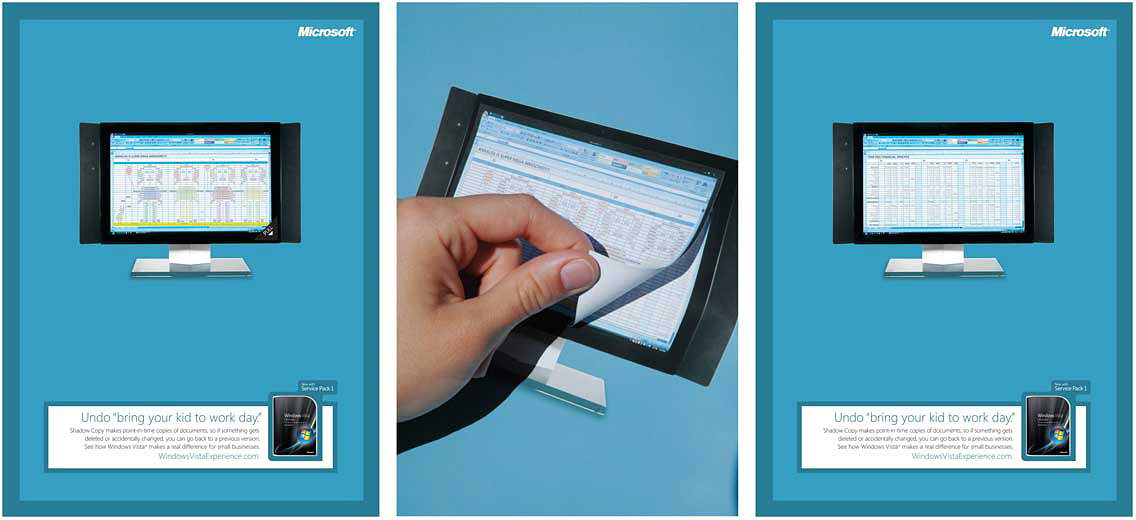
An interactive print ad to demo the “previous versions” restore functionality in Windows Vista.

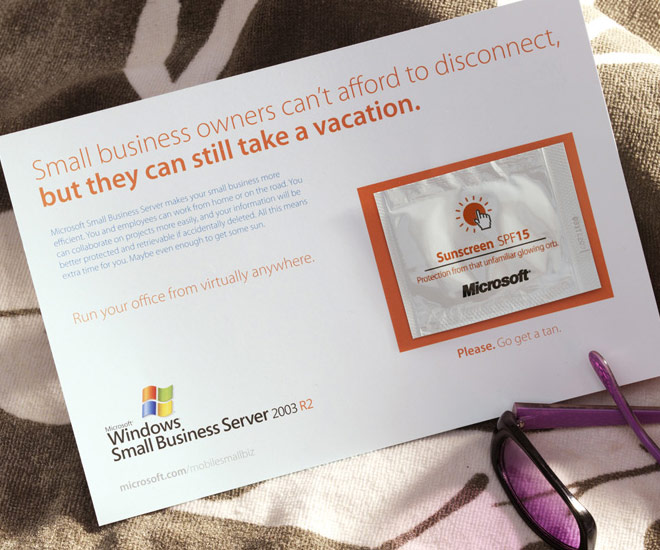
A witty and functional print ad for Windows Small Business Server.

[flv:theroleplayer.flv 512 272]
[flv:themusicians.flv 512 272]

Video segments from a series of “not-so-serious” ads for Office Live.

I definitely like how these guys think.