Category Archives: blog

Windows 7 targets October 2009 RTM, retail soon after?

Connecting the dots is so fun. Usually I don’t speculate about release dates, especially if the only source is “I heard from my step-brother’s uncle who knows someone who works on Windows”, but I’m pretty confident about this one.

Twitter user “remtiwk” had pointed out to me something very interesting yesterday which only today I realized is not just bluff or a mistake. On the ever-changing WinHEC 2008 website now writes “there is not another WinHEC planned before Windows 7 is released”. Wikipedia then confirmed WinHEC was an annual event. This morning, Ed Bott links to an interview which the ASUS CEO is quoted as saying “in the second half of next year we will put Windows 7 on Eee PCs”.

If you put the two together then Windows 7 is scheduled to be released to manufacturing in late October 2009. Retail release should be a month or two after, so late November 2009, just before the holiday season.

Ninjas at Microsoft nodded at my guesstimations before quickly vanishing to do other ninja stuff.

“All-star bloggers” group liveblogging at PDC 2008

I’m putting synergy to the test next week as I’ve gathered seven of the most interesting Microsoft bloggers to come together for an interesting collaborative liveblogging experiment at the Microsoft PDC 2008 event. In alphabetical order, Ed Bott, Mary Jo Foley, Kip Kniskern, Rafael Rivera, Paul Thurrott, Tom Warren and myself (Long Zheng) will be group liveblogging all three PDC keynotes from October 27-29.

How it’s going to work is that we’re all going to be contributing to a single Coveritlive liveblog so you’ll be able to read all of us live from this and everyone else’s blog. What I think will make it unique and worthwhile will be the all different opinions/commentary each of us provide, assuming we’re all as interesting and knowledgeable as we make ourselves appear. Or you can also watch in anticipation of a trainwreck.

Either way, join us for what should be some pretty interesting keynotes. You can note the time and date as follows or import the iCal which I’ve prepared earlier.

  • Monday, October 27 8:30am – 10:30am (PDT)
    Keynote – Ray Ozzie, Amitabh Srivastava, Bob Muglia and David Thompson
  • Tuesday, October 28 8:30am – 10:30am (PDT)
    Keynote – Ray Ozzie, Steven Sinofsky, Scott Guthrie and David Treadwell
  • Tuesday, October 28 11:00am – 12:30pm (PDT)
    Keynote – Chris Anderson and Don Box
  • Wednesday, October 29 8:30am – 10:00am (PDT)
    Keynote – Rick Rashid

Update: Added Chris Anderson and Don Box’s keynote.

PDC 2008 sessions scheduler / timeline live

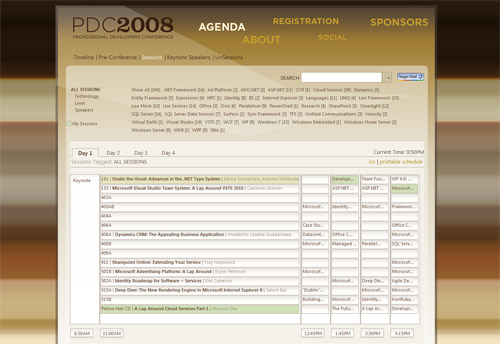
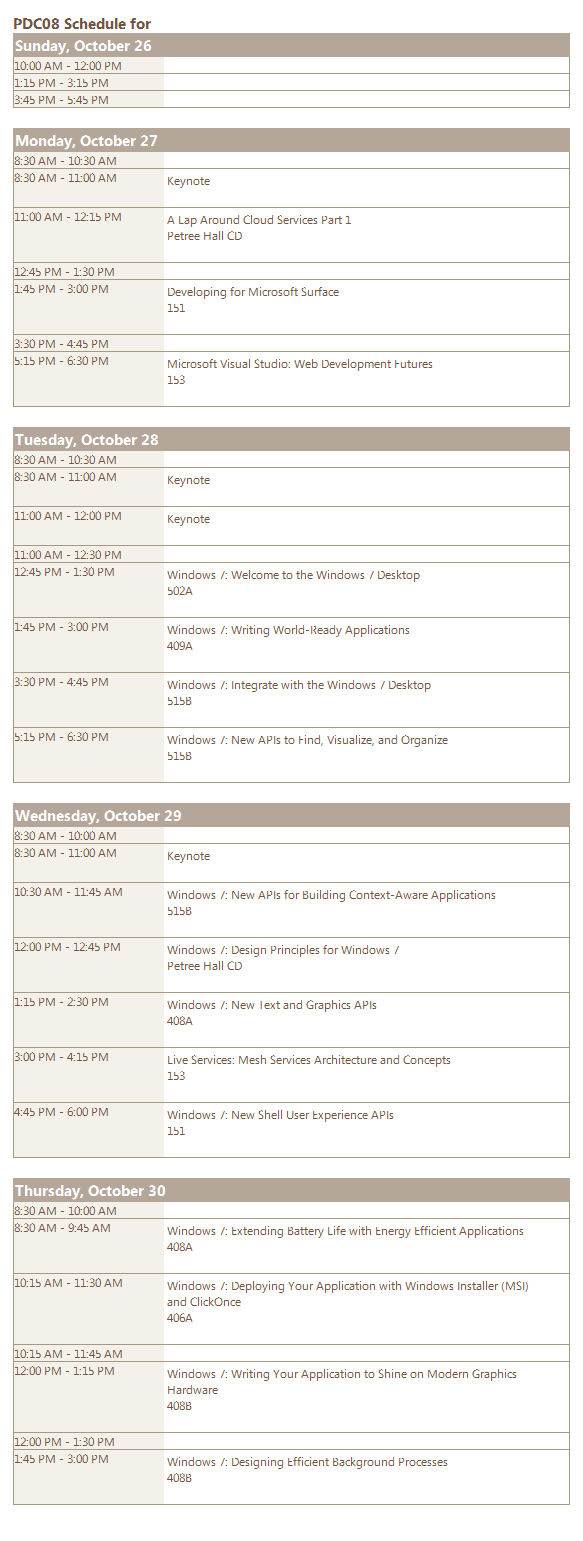
If you’re going to Microsoft’s Professional Developers Conference 2008 in a couple of weeks and would like to fool yourself that you are an organized individual, then you might want to check out the just launched sessions scheduler / timeline complete with session rooms and timeslots. There’s also a nice iCal and HTML export functionality to fool your friends too. You will need to log in with your Live ID to access the scheduler.

My current pick of sessions, let me show you them.

Windows UX Guidelines October 08 update: ribbons, touch and pen computing

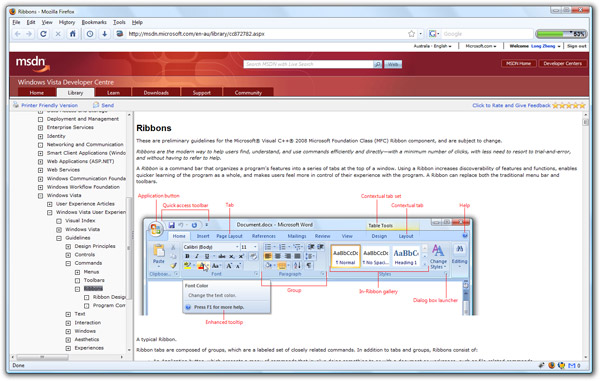
Microsoft’s official Windows User Experience Interaction Guidelines, or more affectionately known as the “UX Guide”, has had a recent October 10 makeover. Topics added in this update include “Ribbons“, touch computing, pen computing and printing.

Of most interest is the article dedicated to Ribbons, explaining to developers how to design a great Ribbon experience in their own application, but probably more importantly when to and when not to use a Ribbon. The Touch article also provides some insightful tips to developing a user-interface that is touch friendly.

Considering Windows “technically 6.1 but doesn’t sound cool enough” 7 just happens to make advances in both the Ribbon (with “Scenic”) and touch computing, definitely a recommend read for developers if you want to be a step ahead.

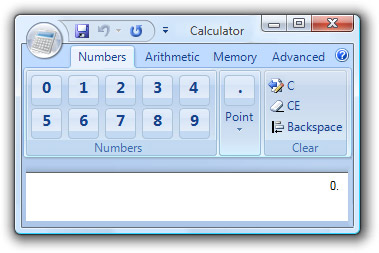
For example, here’s how not to make a calculator with Ribbon.

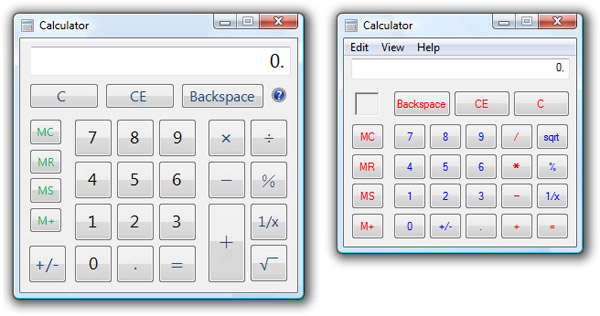
On the other hand, there’s an interesting screenshot of a “touch version” of Calculator. Personally compared to the version in Vista (right), even looks better.

Microsoft survey teases “Oahu”: affordable consumer-version of the Surface computer, hypothetically

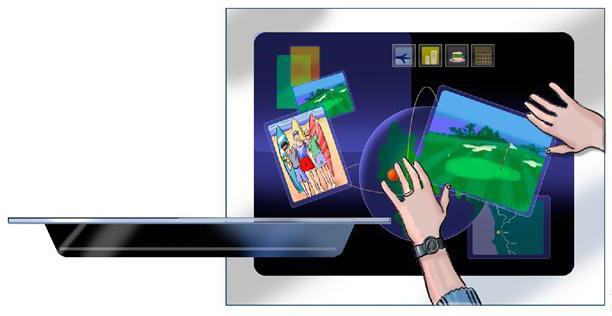
Would you like your own Microsoft Surface computer but don’t own a hotel chain, telephone company, Las Vegas casino, television network or themepark? If so, you need to sign yourself up for some Microsoft market research. To be precise, Microsoft recently delivered a marketing survey centered around a multi-touch computing device codenamed “Oahu”. It is, of course, a (hypothetical) consumer variation of the Surface computer.

Obviously one has to be skeptical of anything on a marketing research survey, I mean its whole purpose is to test out radical ideas in shallow waters. Having said that, these surveys also inherit some practicality or why would they waste the time and money right? Now let’s have a look at what they say about “Oahu”.

The survey starts off with this hefty foreword,

The following questions refer to a computing device called “Oahu” that has an innovative multi-touch screen. Oahu is a flat screen that sits horizontally like a table top. You can interact with Oahu by touching the screen, instead of using a mouse, and more than one person can interact with Oahu at the same time. You and others can move objects on the screen with your hands and touch icons to open up programs, games, or music. People using the device can also use their fingertips to expand and shrink objects on the screen. The screen recognizes people’s hand movements and touches and reacts accordingly. You can bring up an on-screen keyboard to input information. Oahu also works with other devices (such as digital cameras, cell phones, and MP3 players) by getting information from or sending information to them. Oahu is on with no waiting time to start up. Oahu can come as a freestanding table, placed into a piece of furniture, or built into a countertop. The type of Oahu devices we are asking about today are not portable but if they are furniture or tables, they can be placed anywhere in your home.

Then the survey asked the participant of several different “forms” of Oahu – table for meals, a countertop or games table. Here’s a couple of “table for meals” sample experiences. Interesting how many things you can do on the same table you eat food on.

  • Family hub – Help your family stay organized by sharing and managing calendars (by bringing everyone’s input into one place), leaving messages, paying bills and planning each day in a central environment.
  • Homework helper – Help your children with their homework or oversee their play activities while getting dinner ready.
  • Information access – Quickly check information (e.g., recipes) or control the home (e.g., change music controls).
  • Morning start – While eating breakfast, read newspaper headlines and e-mail, get updated on the daily commute, or use your fingers to expand your calendar and get details on the day’s events.
  • Content creation – Create and edit your personal content (e.g., recipe books, calendars, and grocery lists)

The survey then goes on to ask some further questions about what we already know about the surface – casual games and wireless sync with portable devices. It however finishes with quite a bombshell – a hypothetical price.

Please rate how likely you would be to purchase the Oahu Stand-alone games or casual table, if it has the following features:

  • Fixed location
  • Size allows for 4 people to comfortably use it at the same time
  • Looks like a Stand-alone games or casual table with a screen built into it
  • Can have an onscreen keyboard
  • Interact with it using “touch”; you can use multiple fingers or both hands
  • Automatically gets information from and sends information to your portable devices when you put them on the screen
  • Costs $1,499

For those who are curious, the name “Oahu” has some symbolic meaning. Besides being the name of the Hawaiian island – home to Honolulu, Pearl Harbour and Lost, it is indirectly translated as “The Gathering Place“. Fitting as the Surface computer encourages multiple people to interact at the same time.

Now I’d like to do a bit of marketing research of my own. Would you purchase a Surface computer if it was $1,499?

Thanks to Kieran for forwarding this.