IE9 Battle for Beauty: online & offline game to fight for a more beautiful web, June 10-11

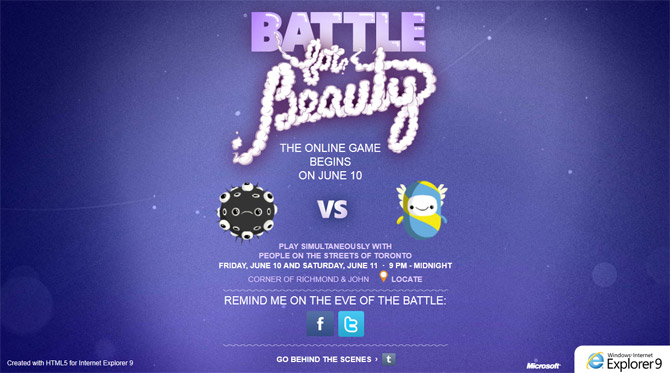
Continuing the “Beauty of the Web” theme for Internet Explorer 9, an upcoming event next weekend which will be held simultaneously online and in-person at downtown Toronto, Canada will be promoting a more beautiful web through a live, browser-based multiplayer game called “The Battle for Beauty“.

Although HTML5-based browser game are not new, this one will feature a game mechanic I haven’t heard of for an online game before. The preview reads,

It’s a one-of-a-kind, interactive event where live participants will team up with online players using Windows Internet Explorer 9 and battle together against other online opponents. All attendees will have a chance to play the game, especially designed by Microsoft to showcase the latest version of Internet Explorer.

It claims real players in the streets of Toronto will use softballs on an interactive screen to play with online counterparts, bridging interactive play with physical play. It will be an interesting experiment to say the least.

The event is scheduled for June 10 and 11. You can find more details about the event on the game’s website. Of course if you’re in the Toronto area be sure to check it out live and presumably get your hands on some Internet Explorer softballs (featured below). If not, pay a visit in your browser.
Dissecting the Windows 8 touch UI demo from D9

At the AllThingsD D9 conference today, Microsoft’s Steven Sinofsky and Julie-Larson Green (both of Office fame) offered a first look at some of the touch experiences in Windows 8 along with a sample of the new Metro-inspired user interface otherwise known as “MoSH” (Modern Shell).

There was a lot to digest in the 4 minute presentation so I wanted to offer a closer look using the companion video with Jensen Harris of the Windows User Experience team (formerly Office too), to highlight some of the subtle aspects people may have missed.

Windows 8 Tablet UI D9 demo

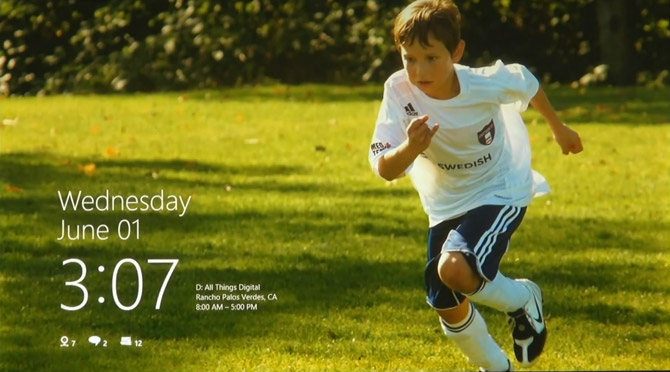
Straight off the bat, the lock screen is reminiscent of Windows Phone 7 right down to the layout of the notification icons. Possibly for the first time too, the Windows lockscreen will actually provide useful information including the date, upcoming calendar appointments, notifications (although it’s not clear what the first icon represents, the others are most likely unread IM messages and email) and a personalized background picture.

Continue reading

Windows 7 “Aero Shake” inventor reveals alternative canned “Aladdin” prototype

In typical Reddit fashion, earlier today on a thread about Windows 7’s Aero Shake feature and its inventor suddenly appeared out of nowhere.

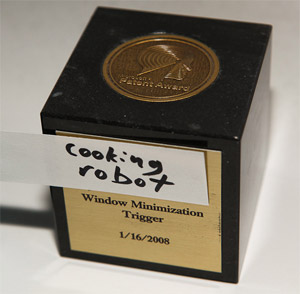
Ex-Microsoft employee nicknamed “cookingrobot” proudly showed off a photo of his patent cube as proof and accepted questions from the community.

The responses reveals some pretty interesting insight into its development, For example, the evolution of the feature.

Kanilas: Did you have alternative triggers you tried out? Instead of shaking the window, what were they?

cookingrobot: The opposite actually.. we started with an entirely different prototype where you would rub your mouse back and forth on a window to see it even if it was covered. It was called aladdin, like the lamp. The idea was if you wanted to quickly take a peek at a window without switching to it, you could just sort of, rub it, and it would fade to the front. It turned out it was too tiring to have to keep rubbing it, so we scrapped that feature. But there was something fun about the shake.. so we kept prototyping.

And also how they fought to keep the feature in the product.

jn023d: Neat! What’s your job title? Do you get residuals ever time we shake a window? According to a patent application, weren’t there other inventors too?

cookingrobot: It was a team effort, and a bunch of us are on the patent. Devs, designers, and so on. Possibly the most influential person was the usability researcher who captured footage of people laughing when they first tried it. This was invaluable ammo to help us defend the feature from being cut. Seeing people laughing out loud was unexpected, but very very good. I actually just left MS to do a startup, but I was a program manager when I was there.

As always, it’s a treat to see and hear from the real people behind the features of Microsoft products especially in an informal setting like Reddit. According to his comments, he left Microsoft earlier this year to start an online shopping startup, www.shopobot.com.

Behind the scenes of Mango: tidbits from Brandon Watson’s Channel9 videos

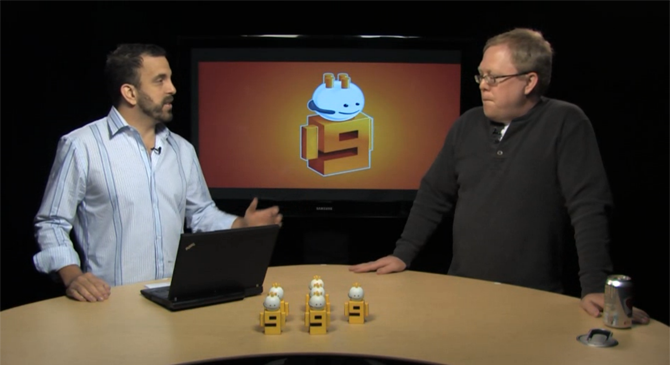
To coincide with the Mango press event several days ago, Channel9 posted three videos in which Brandon Watson interviewed members of the Windows Phone 7 development team regarding Mango-specific features. Whilst one might usually be skeptical about Microsofties interviewing each other, the videos were surprisingly insightful and full of interesting tidbits.

Here’s a few highlights I noted from the videos:

  • Developers can almost do with live tiles everything Microsoft could do. The exception being some animations that were deemed too battery intensive and are restricted from third party use. (Didn’t state example)
  • Background multitasking was the hardest challenge where the default response from performance team is “no” to anything that might consume more battery.
  • Sweet spot for background idle tasks is 15 seconds (subject to change). Profiled many standard devices, analyzed and optimized free CPU slices by moving around system tasks.
  • Worked with Microsoft Research to optimize generational garbage collection for ARM instruction set. The result of this is that third party applications running on Mango automatically benefit from roughly 20% less memory footprint.
  • Search-above-lock enables users to hold the search button from the lock screen to jump straight into Bing, similar to camera.
  • Local Scout was inspired by “pocket to suggestion in 7 seconds” mantra, get useful activities without any typed input.
  • Developer of Bing Vision required driver and pipeline optimization to ensure high camera frame rate whilst tracking and updating results live.
  • Threading by default will always respond with the same medium the received message was sent from (Facebook, TXT, Messenger).
  • Cut one feature that was determined to be too complex for the power – (vaguely described as) combining many communication concepts into a unified experience, issue being one screen that tried to do everything.

At just under 10 minutes each, I highly recommend these if you have a spare half hour. In no particular order, communications with Ian Todd, search with Jared Brown and application platform with Andrew Clinick.

Windows Phone 7 Mango features revamped SIP for Japanese; new emoticons and all

At MIX11, Microsoft announced as part of the forthcoming Windows Phone Mango update, support for several new East Asian languages will be added. It’s now revealed just how much the Windows Phone team has gone out of their way to optimize the soft input panel (SIP) experience for the languages.

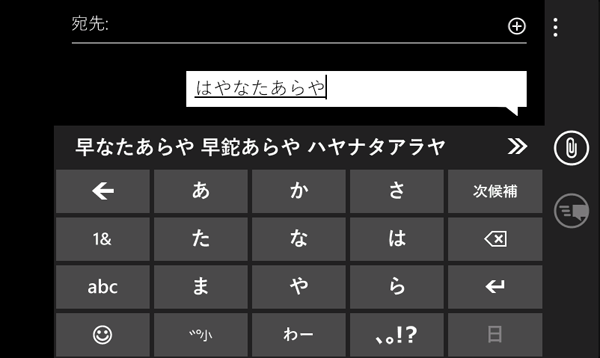
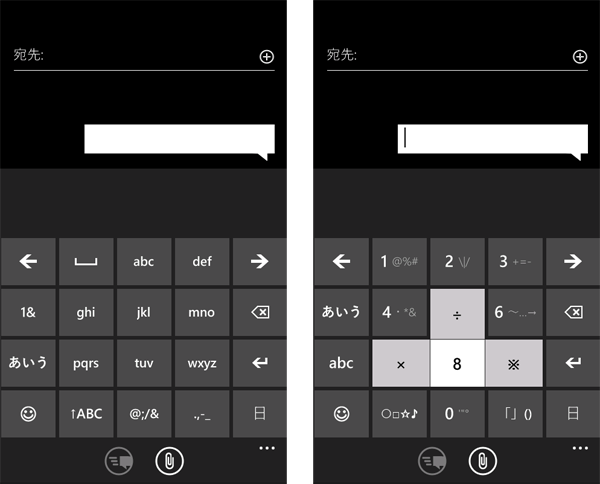
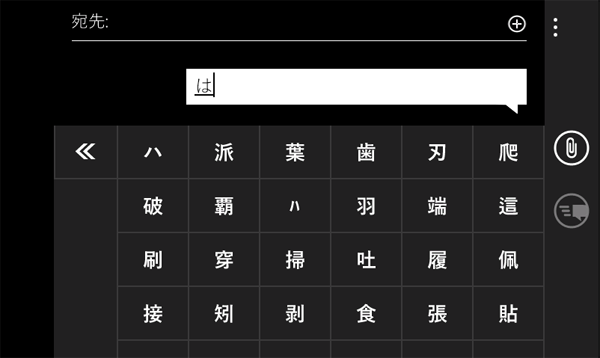
For example, Japanese, one of the hardest languages to type with a keyboard (real or virtual) will feature a completely customized version of the touch keyboard with a drastically different layout and auto-completion interface. Most notably, the fewer keys have larger hitareas which takes up much more vertical space than the English counterpart. The press-and-hold behavior on the buttons is also visibly different.

As common with most East-Asian languages, the auto-completion engine will work not only with individual words but also complete sentences. To accommodate the wider variety of choices, tapping an arrow reveals a new screen with just auto-complete choices for easier selection.

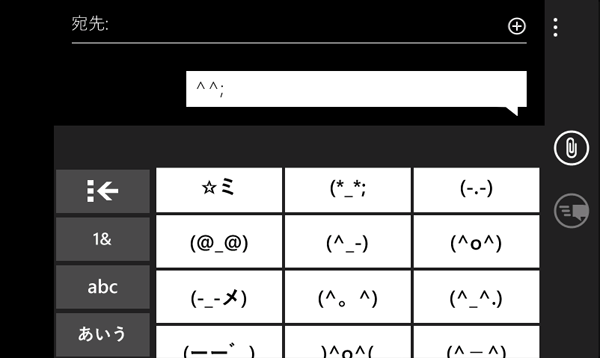
And of course, true to the Japanese culture, it also features a unique and expansive set of Japanese emoticons that features Unicode characters not used in Western emoticons.

If it wasn’t obvious before, Microsoft is serious about breaking into the Asian market with Windows Phone 7 Mango. Although Microsoft’s geographic-restricted services is still a nightmare outside of the United States, it’s nice to see at least some internationalization plans coming to fruition.