Category Archives: blog

More TechEd Vista SP1 typos

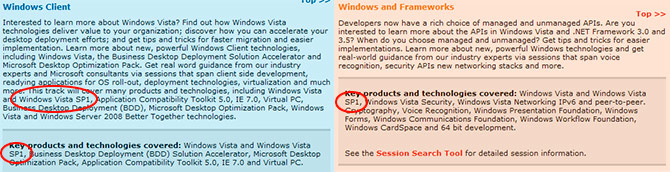
TechEd BarcelonaIt looks like Microsoft Australia aren’t the only ones with a “Windows Vista SP1” typo on their TechEd website. This time around two upcoming TechEd events in Barcelona – TechEd IT Forum and TechEd Developers – both inherit the same ‘typo’ that was on TechEd Australia’s website before being removed earlier last week. Coincidence? I think not.

TechEd Barcelona Windows Vista SP1

Comparing the content on the pages above with TechEd Australia, it is obvious there’s a lot of similarity between all of the regional TechEd events – the topics they cover along with the abstract description. My guess is that the mothership (Redmond) decides exactly what topics are and are not to be covered across the entire TechEd family in a particular timeframe, and it is up to each individual region to add flair and value to the content. If that’s the case, then at some point in time, at least one person was confident enough to include Vista SP1 in the list of topic – under the assumption it had to be available in some form to discuss.

Why are they retracting that statement now? What happened between writing this abstract and now is causing them to exclude SP1 from the list? Certainly there’s no better event to showcase Vista SP1 if indeed it is ready – this is just about the last major Microsoft event before the new year and the audience is largely IT decision makers and administrators. Makes me wonder if they are hiding it on purpose. Personally I’m still hopeful someone will mention SP1 at TechEd Australia in 2 weeks time. *wink wink* *nudge nudge*

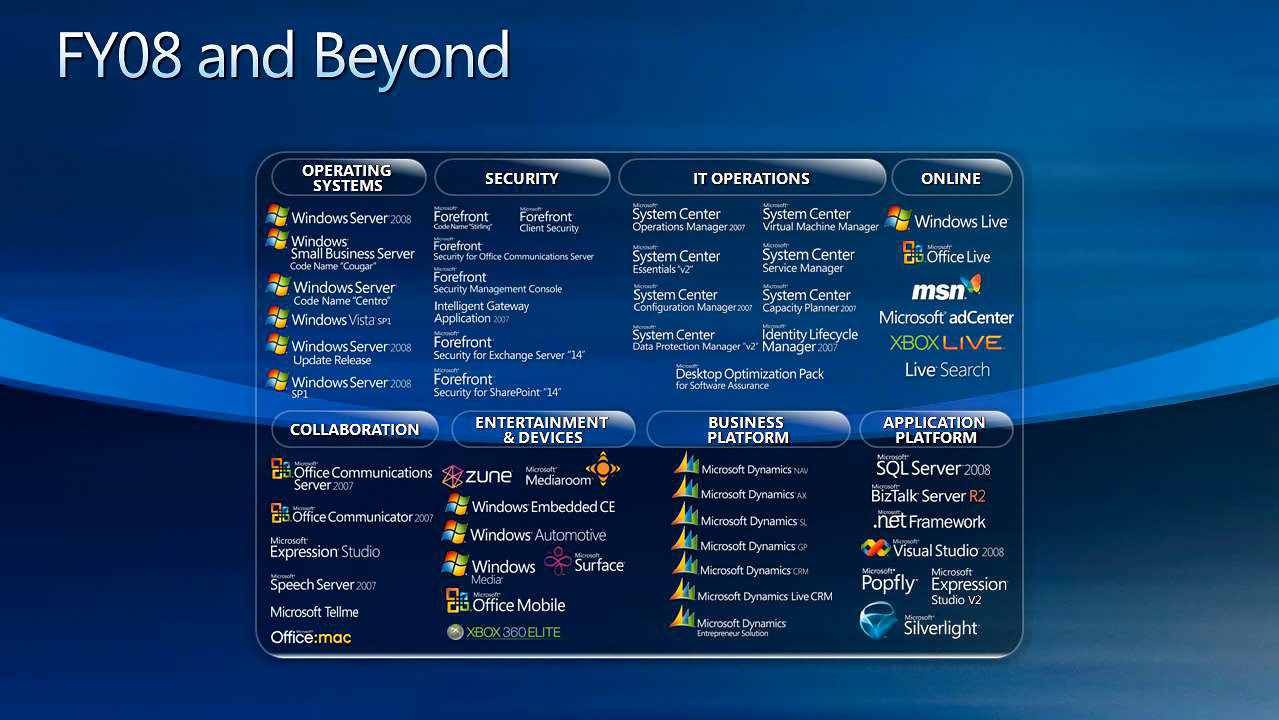
Microsoft products roadmap for FY08 and beyond

Oh boy, a Microsoft roadmap, haven’t seen one of these in a while. This is extracted from Steve Ballmer’s Powerpoint presentation at Microsoft Show and Tell (Financial Analyst Meeting) 2007 yesterday. I’m surprised Mary Jo Foley or Todd Bishop haven’t picked this up earlier. I’ve noted some of my items of interest with a red asterisk.

Microsoft products roadmap for FY08 and beyond

Operating Systems

  • Windows Server 2008
  • Windows Small Business Server Code name "Cougar"
  • Windows Server Code Name "Centro"
  • Windows Vista SP1*
  • Windows Server 2008 Update Release*
  • Windows Server 2008 SP1*

Security

  • Forefront Code Name "Stirling"
  • Forefront Client Security
  • Forefront Security for Office Communications Server
  • Forefront Security Management Console
  • Intelligent Gateway Application 2007
  • Forefront Security for Exchange Server "14"
  • Forefront Security for SharePoint "14"

IT Operations

  • System Center Operations Manager 2007
  • System Center Virtual Machine Manager
  • System Center Essentials "v2"
  • System Center Service Manager
  • System Center Configuration Manager 2007
  • System Center Capacity Planner 2007
  • System Center Data Protection Manager "v2"
  • Identity Lifecycle Manager 2007
  • Desktop Optimization Pack for Software Assurance

Online

  • Windows Live
  • Office Live
  • MSN
  • adCenter
  • XBOX Live
  • Live Search

Collaboration

  • Office Communications Server 2007
  • Office Communicator 2007
  • Expression Studio
  • Speech Server 2007
  • Microsoft Tellme*
  • Office:mac

Entertainment & Devices

  • Zune*
  • Mediaroom
  • Windows Embedded CE
  • Wndows Automotive
  • Windows Media
  • Surface
  • Office Mobile
  • XBOX 360 Elite*

Business Platform

  • Dynamics NAV
  • Dynamics AX
  • Dynamics SL
  • Dynamics GP
  • Dynamics CRM
  • Dynamics Live CRM
  • Dynamics Entrepreneur Solution

Application Platform

  • SQL Server 2008
  • BizTalk Server R2
  • .NET Framework
  • Visual Studio 2008
  • Popfly
  • Expression Studio V2*
  • Silverlight

This above information contains forward-looking statements that are subject to risks and uncertainties. If you make investments based on this information alone, you are an ass. Please remove yourself from the stock market immediately.

Microsoft Show and Tell 2007

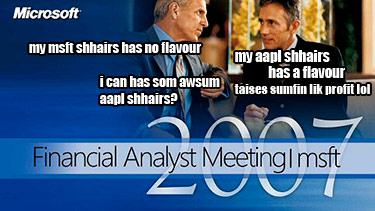
Microsoft Financial Analyst Meeting LOLCatIt’s that time of financial year again, Microsoft Show and Tell otherwise known as Financial Analyst Meeting. Starting from 8:30am Pacific Time today, the class of Microsoft Executives will be presenting for 8 compelling hours talking about why investors should sink money into this little company called Microsoft. It might sound like a boring day of numbers and percentages, but it’s actually quite the glitz and glamor.

The usual suspects include Bill Gates – maybe even his last show; Steve Ballmer – investors, investors, investors; Kevin JohnsonJim Allchin‘s replacement; Robbie Bach – Zune and XBOX guy; Ray Ozzie – off-the-radar CTO; Craig Mundie – Microsoft Research guru; among others. Unfortunately, Steven Sinofsky is not on the list however I suspect he should make a guest appearance to demo something.

So far there is no synopsis of what they will talk about but I will be damned if they pull another ‘future-talk ban‘. Sure they should and will definitely talk about the launch of Vista and Office in the last FY, plus the imminent release of Server 2008 and a bunch of other business softwares, but that’s unlikely to satisfy the hunger of any analyst who’s going to want to know their next strategies inside-out. SP1 anyone? Zune 2? Windows 7 even?

As exciting as it could be, you probably don’t want to call in sick, mute your telephone, buy a big television, pop some popcorn or facepaint yourself blue for this. If you’re not doing much from 8:30am to 5pm, say a full-time job, do check out the live video or audio webcast.
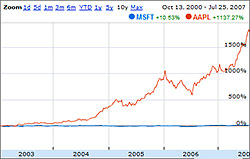
Microsoft vs Apple stock priceIf MSFT shares are any indication, you can bet they will be huffing and puffing with all their might to bring some life back into the chart line that is now pretty much flat. The big bad wolf has to take some big breathes to take before even coming close to that Mt. Everest otherwise known as Apple, Inc shares.

Yes, there is a blue line on that graph. And yes, that scale does say 1500%. And yes, it’s only been 7 years. And yes, I wish I did too. 😛

Updates:
7:57 T-minus 3 minutes. The video stream has officially started, however classical waiting music is missing-in-action.
8:37 Started 7 minutes late, not too shabby. Big SEC warning, they will be making forward-looking statements. 🙂
8:41 Wow, how’s that for conference service. If you raise a yellow flag, a technician will actually come and help you with CommNet problems. Wonder what happens if you raise an American flag? Does a band come marching?
8:42 Housekeeping: If you didn’t register your car with reception, you’re so getting a huge fine from Microsoft.
8:45 Bill’s on stage. Talking about next 10 years of software, w00t.
8:48 Enough liveblogging from me, just go read the transcript when it’s available. 😉
8:59 First demo screwup: Surface fails to respond to Bill’s touch at all! Bill: “It’s more exciting when it does something.” Presentation stalls whilst 10 people are fired. Bill looks very, happy.
9:30 Ballmer: If you don’t like change, get out of our stocks! He even mentions UI changes. Big bold bets. Big bold bets. Big bold bets. I’m catching his drift.

Window Clippings: 21st century print screen for Windows

Print screen buttonCan you believe the print screen button once actually functioned as the name suggests? It sent the content of the entire screen straight to the printer port! Fortunately that functionality changed during the advent of the graphical user interface, saving the entire Amazon rainforest from deforestation. What used to be a simple function of copying pixels on the screen just doesn’t cut it anymore.

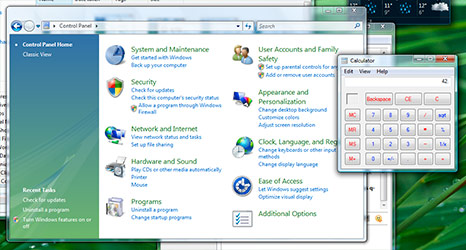
With Windows Vista’s elegant translucency, blurring, reflections and shadows, Aero is stunning in its own right. However what makes the UI stunning also poses some interesting problems for our decade-old pixels photocopier. What used to be a simple “ALT + Print Screen” to capture the active application now incidentally also captures everything behind it thanks to our good friendly transparency. His brother, window shadow, also misses out on the fun. The result just doesn’t do the interface justice.

To get a somewhat decent screenshot in Vista, I remember having to minimize all my other applications, set the desktop background to solid white, take the capture and sprinkle some magic in Photoshop. Just a little too much effort for a screenshot. Surely there must be something better. There was!

I don’t want to sound like a weight-loss commercial, but then I discovered Kenny Kerr and his flagship hobby, “Window Clippings“. I wiped whole minutes off creating beautiful captures! Take a look at the following before and after comparison.

Print screen screenshot
This is what I used to look like, I mean my screenshots. Cluttered with applications, desktop backgrounds, gadgets and everything else.

Window Clippings screenshot
With the same efficiency in Window Clippings, you can select the applications you want to capture.
Clip out the background and surrounding applications, keeping the shadows and even full 24-bit transparency.

If you care the slightest about how your screenshots look, then you will not live without this tool, OK maybe miserably. Even if you are just capturing screenshots for your school project, you will earn at least 2 grades better^. It requires no install, no system changes and best of all no pennies. Download and run. You may choose to register to access some extra functionality, but it’s unlikely you will need them.

As much as the current print screen is an efficient tool in the 3-step ‘check this out’ workflow for many people, it could use a 21st century facelift. As interfaces get more advanced, print screen needs to be capable of capturing its beauty, otherwise screenshots are as good as Windows Classic. Speaking of which, where’s my puke emoticon?

^Subject to personal intelligence

Microsoft: Would you like Firefox with your new PC?

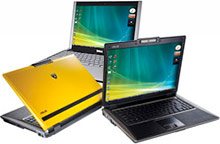
Windows Vista computersWhat would you expect to see in a press release from Microsoft? You’d think in a document distributed to thousands of journalists they would want to promote their own products and technologies such as Internet Explorer and Silverlight right? Benefits of integration comes to mind – how they work better together and all that jazz. On the other hand, how about Firefox, Flash and everything non-Microsoft on your brand new spankin’ Vista computer instead?

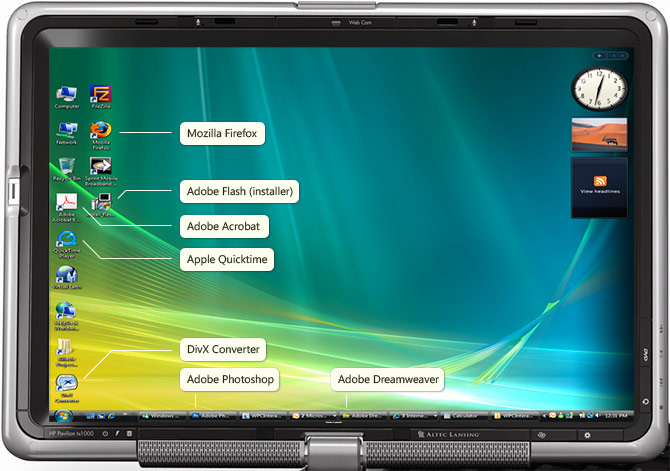
In an amusing press release published today, “holiday gift giving in July” as they call it, “for the love of God, please buy some damn Vista PCs” as I interpret it, Microsoft featured a select few premium laptop offerings from some of the usual suspects like Dell, ASUS, HP, Sony and Toshiba – all great laptops by the way – in an obvious effort to boost Vista PC sales. It looked all quite normal until you took a closer look at the laptops, more specifically what’s on the screen.

Microsoft press release PC with loads of third party software

Internet Explorer competitor, Firefox. Tick. XPS competitor, Acrobat. Tick. Windows Media Player competitor, Quicktime. Tick. Windows Media competitor, DivX. Tick. Silverlight competitor, Flash. Tick. Expression Design competitor, Photoshop. Tick. Expression Web competitor, Dreamweaver. Tick. Fortunately, Live Messenger, Outlook and Calculator still got some lovin’.

I know I’m picky. I also know this particular PR person probably took a screenshot of their own desktop for convenience and quickly pasted it in Photoshop. But I think this is the case why Microsoft will never beat Apple at the marketing game, they’re always an arm’s length away from perfection. I mean how much harder would it have been to grab a Vista screenshot from the official Microsoft PressPass archive, and took the time to crop it accurately in Photoshop – not sticking outside the laptop’s display bevel? Not very.

Collection of published Vista SP1 API changes from MSDN

Windows Vista SP1Microsoft might choose not to tell its enthusiasts anything about Windows Vista Service Pack 1, but they can’t afford to keep it a secret to the development community. For the same reasons some argue SP1 is the Holy Grail for Windows Vista, a newer kernel means changes to a very significant component of an operating system. However this is a significantly minor update to the kernel compared to what was endured just months ago, APIs have already been added, changed and even obsoleted.

Since Microsoft wouldn’t publish any documentation of their own for the time being, here is a list I’ve compiled from the MSDN Library of all the changes taking effect in Vista SP1 published to-date. Whilst most of these documentation won’t make sense for non-developers (myself included), think of it like reading a foreign-language newspaper – find all the proper nouns then make up the story.

Continue reading