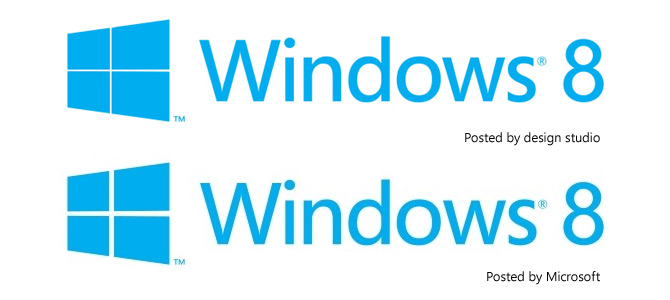
So about that Windows 8 logo…

So there you have it, the Windows 8 logo. I was wrong about it being a fake. It’s very much a real, thing. I’m just going to quote from the popular and respected “Brand New” corporate identities blog which I wholeheartedly agree with.

With Windows Like These Who Needs Enemies?

…(Segoe) works best as a user interface ingredient but as the typography on a logo, it’s extremely underwhelming — pair it with the worst rendition yet of the Windows window and you have a real loser. I’m not saying the previous Windows icons were good, but they had enough abstraction (and gradients and shadows and highlights) to at least look techie and Microsoft-ey, but this “minimal” approach looks like, well, a window. A window in a $400-a-month studio apartment rental with beige carpeting and plastic drapes. Moving away from the more flag-like icon seems like abandoning two decades of equity — crappy equity, but equity nonetheless.

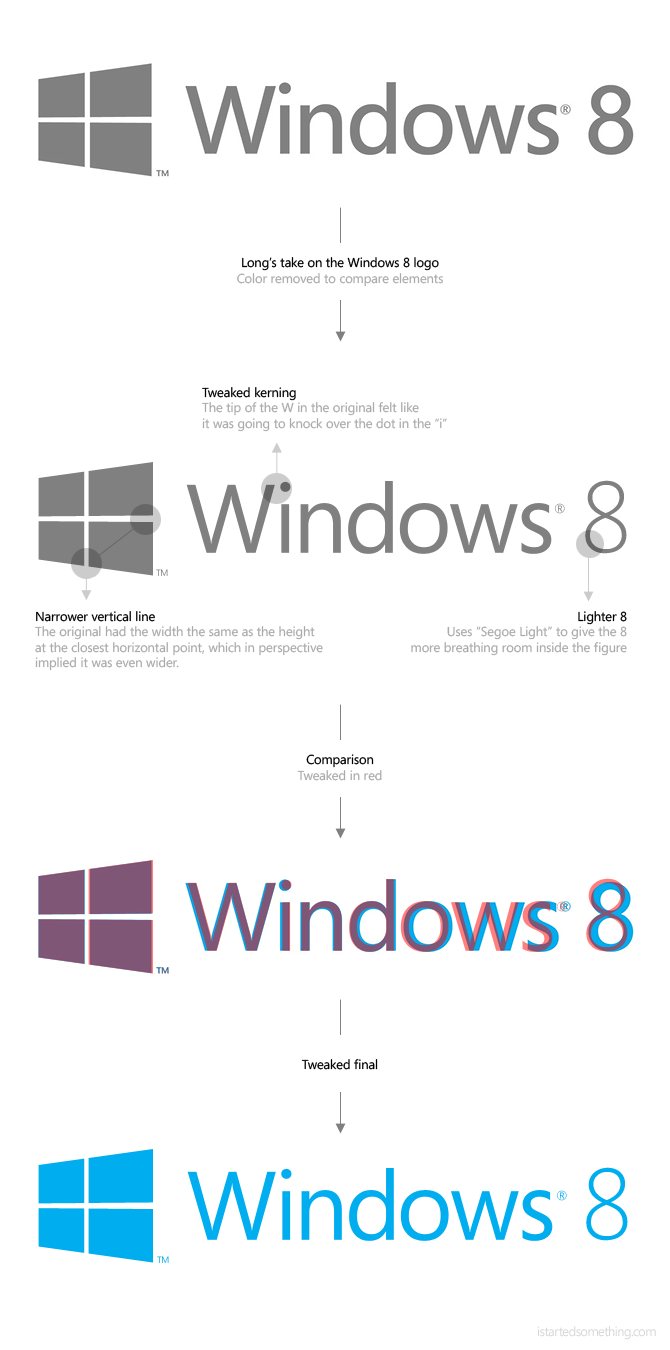
Since I know it’s unreasonable to suggest going back to the drawing board (although not impossible), here are some minor tweaks I would suggest to make it a little easier to swallow.
Update: The design studio behind the new logo Pentagram posted a video showing the logo being animated. I must admit in animation, it does further drive the message of “motion”, but I have to wonder how applicable it is to common uses like the keyboard/hardware button and bitmap graphics on screen.

Windows 8 Transparency from Pentagram on Vimeo.

They also note the “crossbar” is actually not in perspective on purpose, which is an interesting design choice as it would mean the logo doesn’t scale at all, but has to be re-rendered for every size.

The perspective drawing is based on classical perspective drawing, not computerized perspective. The cross bar stays the same size no matter the height of the logo, which means it has to be redrawn for each time it increases in size, like classic typography.

The crossbar posted on their site actually differs to the one posted by Microsoft which leads me to believe they are already running into the scaling issues already. Will the real Windows 8 logo please stand up.
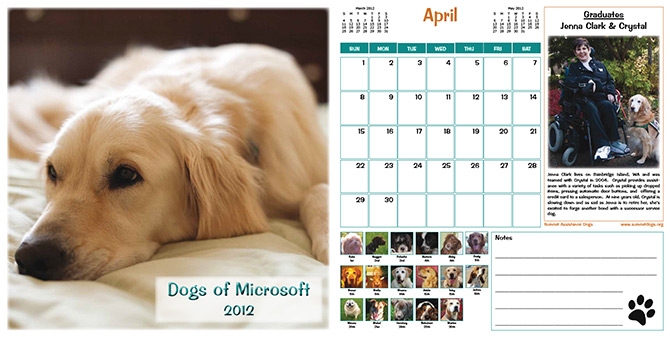
Cats & dogs: Microsoft’s charity dog calendar

Where there’s cats, there’s also dogs. Having wrote about the Cats of Microsoft Calendar, I feel morally obligated to give equal representation to canine friends and their Dogs of Microsoft calendar. Unlike your typical cat versus dog scenario however, both win for very noble causes.

The idea for a Microsoft dog calendar started in 2007 when employee Janna Harala was inspired to fundraise for a friend’s wife who was in need of a service dog. In the same year, she also broke the Guinness Book of World Records for the “largest Dog Biscuit in the World” with the help of Microsoft who owned the “largest oven in Washington”.

Since then, a volunteer team of Microsoft Finance Analysts, Program Managers, Portfolio Managers, Advisors and People Managers has taken on the role for dog-related funding events at Microsoft after the original employees left the company. Through various activities including but not limited to the dog calendar, they raise funds for Summit Assistance Dogs, an animal non-profit who train service dogs for people with disabilities.

In addition, some Microsoft employees also volunteer their time to raise and train service dogs themselves, including obedience training on the Microsoft Redmond campus. “One occasionally sees the green-vested dogs accompanying their foster parents as they go about their daily jobs on campus.

Having written about just a few of the fun employee-driven fundraising activities Microsoftees undertake, it comes as no surprise Microsoft recently announced they broke the record raising over $100 million of donations for nonprofits in 2011 with the company’s generous donation-matching policy.

With cats and dogs covered, I’m wondering if there are Microsoft calendars for more exotic pets, like a Sea-Monkeys of Microsoft calendar.

Photo EXIF evidence points to Windows on ARM before iPad release

Turns out Microsoft has been working on Windows on ARM for a while, quite a while in fact.

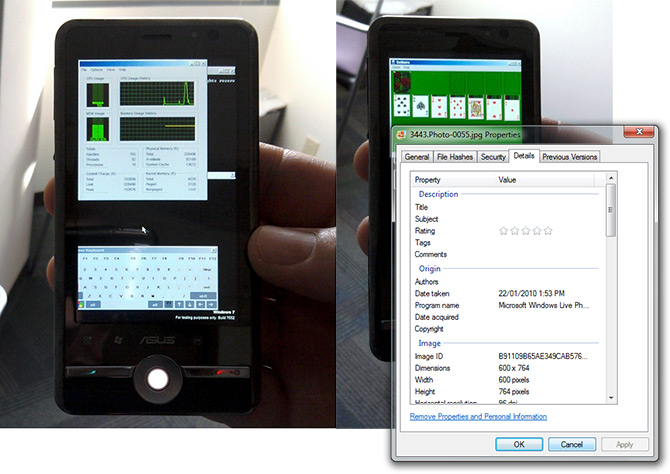
In Steven Sinofsky’s thesis of Windows on ARM (generically dubbed WOA) published on the Building Windows 8 blog today, two photographs of an early development build of Windows running on prototype ARM hardware dates the effort to as far back as 22 January 2010, almost a week before iPad’s announcement on the 27th.

Although Microsoft waited almost a year later to reveal WOA for the first time in public at a CES 2011 press conference, it’s now clear Microsoft too had future bets on an ARM-based ecosystem even before the iPad began selling and ARM took the spotlight for tablet devices.

As one might gather from Steven’s insight into the ARM development process, it became a lot more complicated to optimize the Windows experience on ARM than just porting all the code from one architecture than another. I think the dated photographs also reaffirm just how big of an investment this has been already with two years of development already in the bag.

Although no one can deny the influence the iPad has had and continues to have on Windows, Windows 8 is looking to level the playing field on ARM hardware with a vengeance. It’s safe to say WOA is not a knee-jerk reaction to the iPad, but a strategic move planned much earlier. But of course like most things Microsoft, with a longer lead time to market.

Microsoft Surface 2 begin deliveries: Samsung SUR40 unboxing and first boot

Two months after Microsoft started accepting pre-orders for the 2nd-generation Microsoft Surface Samsung SUR40, it has begun making its way into the open arms of developers like the one above for The Robert Gordon University in Scotland.

With the device costing around $9000, those of us who don’t have that kind of money to spare for a 40-inch iPad will just have to experience the thrills through their unboxing video. Although for the most part it doesn’t actually look too different to a TV unboxing, the second half of the video does goes through the initial set up and demo apps.

The hunt for the perfect computer headset

Before the last couple of weeks, it’s hard to believe I used to hate headsets. Since then, my desk has been covered from anything between three and six headsets at a time supplied by the good folks at Sennheiser and Plantronics.

Comparing six different headsets at a time wasn’t easy and I owe many thanks to those who sat with me on Skype while I swapped from headset to headset, plugging and unplugging any one of the six identical USB plugs. Nevertheless, I was more than eager to jump off the webcam microphone bandwagon.

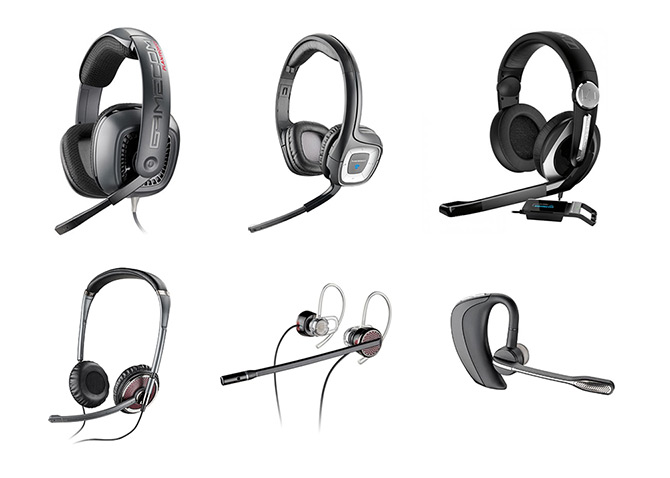
Since I know it’s a privilege to get to try so many headsets at once, I thought I’d post this list of pros and cons I found of each to make the decision easier for anyone else out there looking for the perfect computer headset as well. The first and my current favorite is the Plantronics GameCom 777 for its balance of comfort and sound quality.

Plantronics GameCom 777
+ Comfort: largest earmuffs of all the headsets I tried, does not press against ear, great for long-term use
+ Sound quality: impressive faux-surround with USB Dolby Headphone technology, some bass
+ Price: reasonable USD$99 RRP
+ Microphone: very high quality with good noise cancellation
+ Convenience: inline controls to control volume and mute microphone
– Build: plastic frame presses a bit tightly against head

Plantronics .Audio 995
+ Comfort: light build, reasonably sized earmuffs
+ Microphone: most realistic sounding microphone
+ Wireless: awesome around-house range, flexibility not having to worry about wires
– Wireless: day-long battery life, random output/microphone static with 2.4GHz interference

Sennheiser PC 333D Game
+ Sound quality: best sound output, true 7.1 input, impressive bass, great for movies
+ Microphone: very high quality, subtle deepening radio-like effect, “active listen” mode
+ Design: leather earmuffs and metallic finish
– Comfort: tight fitting ear muffs squish ear, discomfort over long-term use
– Price: a bit expensive at USD$179 RRP

Plantronics Blackwire C420-M
+ Build: office style headset, low profile, light frame
+ Sound quality: decent quality sound for size and profile
+ Portable: easy to pack and go
– Comfort: presses directly against ear, no outer padding

Plantronics Blackwire 435
+ Comfort: light, behind-ear does not press against ear
+ Build: discrete, does not look like headsets, can wear one or both
/ Sound quality: acceptable quality for style of headset, no bass
– Convenience: hard to put on, take off, plastic clip requires manual adjustment

Plantronics VoyagerPro UC
+ Comfort: feels like not wearing headset at all, light, rests comfortably around ear
+ Microphone: best noise cancellation for noisy environments
+ Convenience: auto-sensing answers Skype/phone when worn, tap to answer
+ Bluetooth: can pair with both PC and mobile at the same time
– Sound quality: mono, only practical for voice/Skype, music over A2DP streaming is undesirable
– Price: most expensive at USD$199 RRP

Geek-girl Felicia Day kicks off inaugural Microsoft Advertising Story Awards

Today Microsoft kicked off the first Microsoft Advertising Story Awards contest to find the world’s most innovative digital marketer with the chance to win a trip to the Oscars-of-the-advertising-world, Cannes Lions 2012.

The contest specifies “entries will be judged on how effectively your campaign plan uses Microsoft Advertising solutions”. Essentially, this is a promotion to get more advertisers to explore and use Microsoft’s broad set of advertising properties which include but is not limited to MSN, mobile, Skype and XBOX.

To illustrate this in practice, Microsoft got geek-celebrity Felicia Day to help explain Microsoft Advertising in a tongue-in-cheek video that explains Microsoft Advertising at a high level.

Some of you might recognize Felicia Day from the SyFy TV show Eureka and her claim to fame with her comedy web series “The Guild” which Microsoft acquired the exclusive distribution rights for on XBOX Live, Zune and MSN Video.