Idea for a more accident-friendly WP7 search button

Just when you think you’re careful enough, it strikes without mercy. Nevermind the hilarious YouTube you were watching or photo you’re about to take, it’s Bing time. I am of course referring to the inconspicuous but deadly capacitive search button on most of the popular Windows Phone 7 devices.

In spite of the firmware updates trickling out to some Samsung devices which disables the capacitive hardware buttons whilst the touchscreen is touched, the problem is not completely resolved and it’s simply too easy to accidentally activate the “back” and “search” buttons, even if you’re careful.

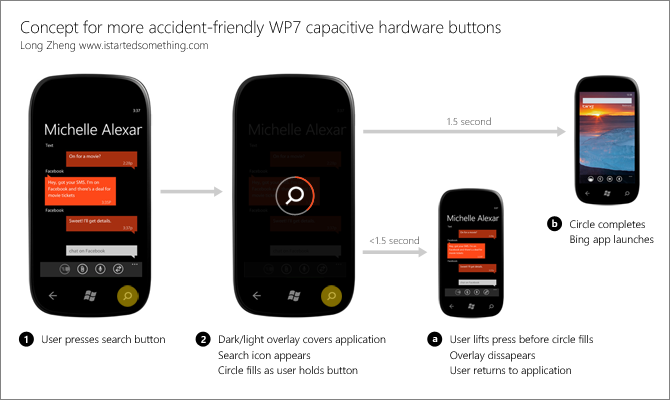
Since I enjoy myself a design challenge, I came up with this mockup taking some inspiration from the tap-and-hold gesture found on the desktop version of Windows.

In essence, it would provide a short buffer that would allow users to cancel their action without repercussions. Of course those who actually want to complete the action can do so as well without any too much hassle either.

Unfortunately, due to the new press-and-hold multitasking behavior of the “back” button in Mango limits the idea to just the search button. Nevertheless that seems to be the button I accidentally press the most anyway. Feedback welcome.
Microsoft and Windows renovating “The Block”

Microsoft is not shy to product placement on TV shows. Recently, Bing and Windows Live have appeared front and center in scenes of “Chuck”. Now in Australia, Windows 7 and Windows Phone is also making a splash on reality TV for a popular homes renovation show called “The Block”.

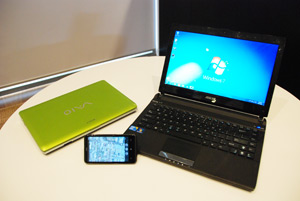
As a sponsor of the show, each of the four teams were provided with two Windows 7 laptops (an ASUS U36 and Sony YB Series) and two HTC HD7 Windows Phones to use during the competition to renovate four houses from scratch. Inside the house, each team was also provided with a HP TouchSmart to showcase the latest PC technologies in their homes.
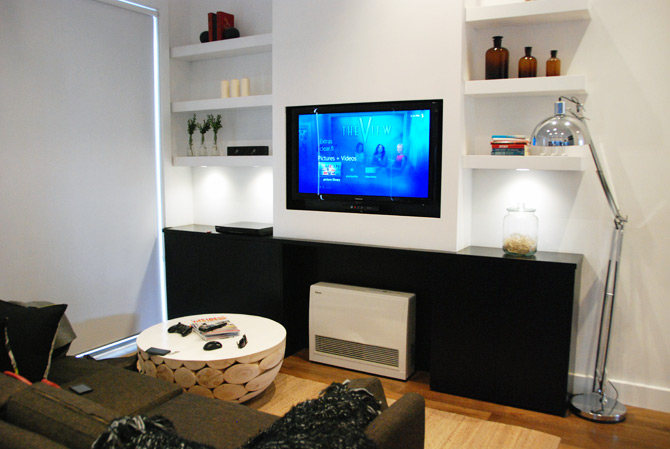
Furthermore, the show even held a special challenge where one team won a special entertainment prize pack with a sleek Acer Revo Media Center, XBOX 360 Kinect bundle and TV to outfit their living area. The challenge required contestants to use the photo-stitching and editing capabilities of Windows Live Photo Gallery to produce a magazine cover.

With around 1.4 million viewers per weeknight, I can only imagine it’s raising some awareness for Windows Phone 7, Windows Media Center and Windows Live to an audience just like the contestants they’re watching, not necessarily technologically savvy or informed.

What makes this product placement unique is the fact that it’s all real. Not only are the products on the market today, they’re all practical and affordable to most people watching the show and maybe thinking of renovating their own house. The people using the technology are also not actors and using actual capabilities of the technology to solve real problems.

Even though I’m personally fatigued of reality TV, I must admit it’s nice to see real technology on TV and not the bullcrap under the cloak of technology we’ve come to expect of TV.

Students teases the future of home automation with Microsoft Research’s HomeOS

Get Microsoft Silverlight

Less than a year ago, Microsoft Research began tinkering with the idea to create an “operating system” for the home dubbed “HomeOS“. In the months since, it turns out students from a number of US universities have spent their semesters prototyping some pretty cool applications for such a platform.

In the video above, students of the University of Washington demonstrate five such applications including:

  • Improving security with camera on a door a doorthat senses the presence of visitors and notifies users with an image of the person on the PC or phone. The user can then unlock the door remotely, even if they’re not at home. The system also archives the photo for future reference and could be enhanced with facial recognition.
  • Tracking user’s location within a house by using the phone to detects the variance in WiFi signal strengths of access points around you. By knowing which room a user may be in, one use is enabling media playback to follow the user around the house and continuing where they left off.
  • Controlling lights by pointing to them using the Kinect sensors to predict which device the user is pointing to.
  • Making alarms more contextually-aware with integration into a user’s appointments and driving traffic information that adjusts the time to wake the user.
  • A system to enable the access of devices inside a private network from an outside public network. (Not too sure how this is different to a NAT traversal)

Since HomeOS is currently limited to an academic audience only, it’ll be interesting to see when Microsoft Research will expand the availability to the broader developer community and most importantly, embedded hardware designers, to experiment more broadly with.

With Google already making a bet on home automation systems with the [email protected] sneak peek just a couple months ago, you can bet this won’t be the last you’ll hear or see of HomeOS.

The science behind Bing Vision 2D object recognition

Get Microsoft Silverlight

If you haven’t seen or tried Bing Vision, it’s pretty cool stuff. Even though iPhone users have had the privilege for more than six months now, Windows Phone Mango users (in some regions) will soon too be able to search book, CD and DVDs by just scanning its cover.

In a presentation about computer vision, Rick Szeliski from Microsoft Research’s Interactive Visual Media group talks a lot about the advancements in computer vision technologies MSR has made in the last decade including but not limited to Kinect. One other recent project of note was called “Lincoln”, by Larry Zitnick, which formed the basis for Bing Vision.

Since Rick tries his best to generalize the algorithms involved, I’ve embedded a clipping of the video above if anyone’s curious about the technology behind it all. Apparently it involves “kd-trees”, not magic.

One other interesting tidbit Rick mentions during the presentation is the fact that whilst recognizing people en mass is hard, it’s already viable for smaller groups like families. The fact that he uses the example of logging in a PC in light of the rumors that Windows 8 will support such a feature is at least note-worthy evidence of the feature’s practicality.

Microsoft takes flawless lead in tech company Starcraft 2 tournament

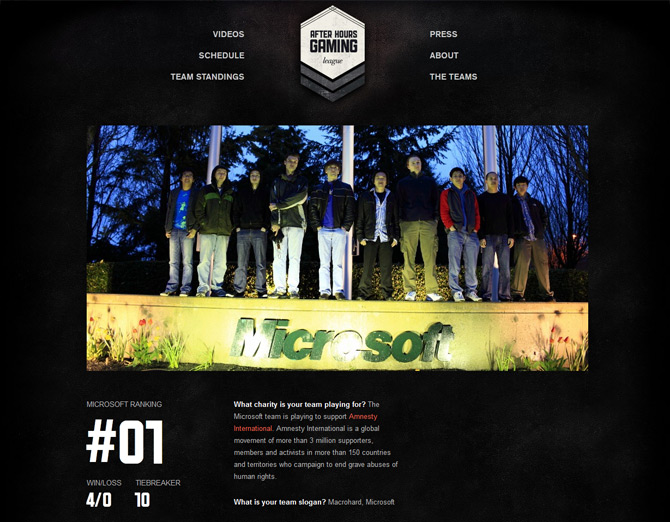
I knew that one day my two obsessions, Microsoft and Starcraft 2, would finally weave together. With the Starcraft 2 After Hours Gaming League, it has and the Microsoft team is competing surprisingly well against the likes of Facebook and Google.

Started earlier this month, the After Hours Gaming League is an eSports spin on the traditional inter-corporate sports competitions with a focus specifically on technology companies. In its first season, eight teams representing Amazon, Dropbox, Facebook, Google, Microsoft, Twitter, Yelp and Zynga have signed up to compete in Starcraft 2.

The Microsoft team is made up of ten employees including those who work on Windows, Internet Explorer, Bing and Windows Azure. So far they’ve competed against Google, Yelp, Zynga and Amazon with a flawless 4 wins to 0 losses to take the first place rank in the league. With just three matches to go, they are in pretty good shape to win their charity, Amnesty International, the $5,000 prize pool.

Even if you’re slightly interested in watching people play games competitive, you can watch the week 4 (embedded below), week 3, week 2 and week 1 Microsoft matches respectively.

With a witty team slogan of “Macrohard, Microsoft”, it’s hard not to cheer for these guys.

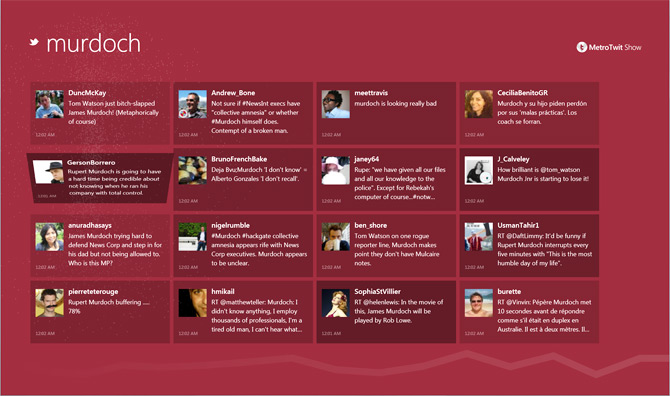
Introducing MetroTwit Show: a visualizer for Twitter

Cross posted from MetroTwit.com. One of the many features we’ve been planning for MetroTwit since day one is the ability to visualize and enjoy tweets in a more casual and interactive format. Today, we’re making available MetroTwit Show, a project that’s been in the oven for a few weeks to make the reading experience for Twitter more vibrant.

To make the experience accessible, MetroTwit Show is a Silverlight 4 out-of-browser application to take advantage of the widespread adoption of Silverlight on both Windows and Macs. Like MetroTwit, it is inspired by Microsoft’s Metro design language and prides itself on beautiful animations and elegant typography.

As a v1 release, the feature set is limited to a simple read-only experience to following searches and trends. We have plans to add many more layers of interactivity and functionality.

As always, we look forward to everyone’s feedback on both MetroTwit Show and MetroTwit as we continue refining and improving the Twitter experience on Windows.