Microsoft quietly testing Zune Music in Australia

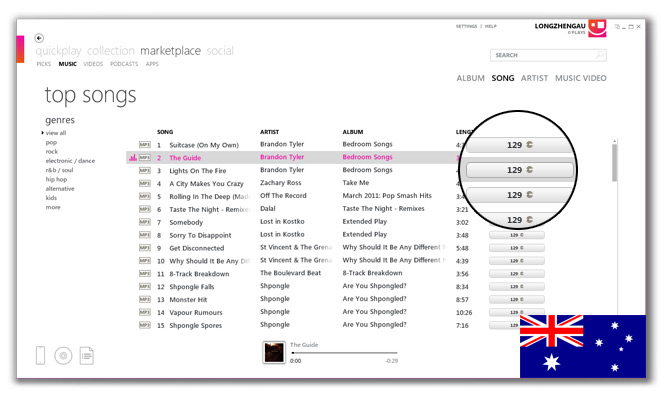
Earlier today, an anonymous user pointed out to me that Microsoft appears to have begun discretely testing the Zune Music Marketplace for Australian users. Zune 4.8 users who have their system location set to Australia and/or an Australian Live ID will now see the “Music” tab teasing the goods.

Since this is believed to be just a test, unfortunately it’s just a small and unusual collection of songs. Nevertheless, the test does reveal the pricing for songs and albums Microsoft may have settled on, with beloved Microsoft Points no less. Songs costs 129 Points (AUD$2.13) and albums appear to be priced per song capped at 1299 Points (AUD$21.43).

Even the pricing does seem unfairly high in contrast to the US store with the exchange rate in mind, it’s actually comparable to iTunes’ current pricing of AUD$2.19 per song.

With Windows Phone Mango just around the corner where the availability of Zune Pass subscription is also rumored to be expanding, Zune seems to be finally landing on our shores, somewhat five years later.

Update: Microsoft has also enabled “Podcasts” as we are now a country worthy enough to enjoy them.
Bing Maps: what a difference a little color makes

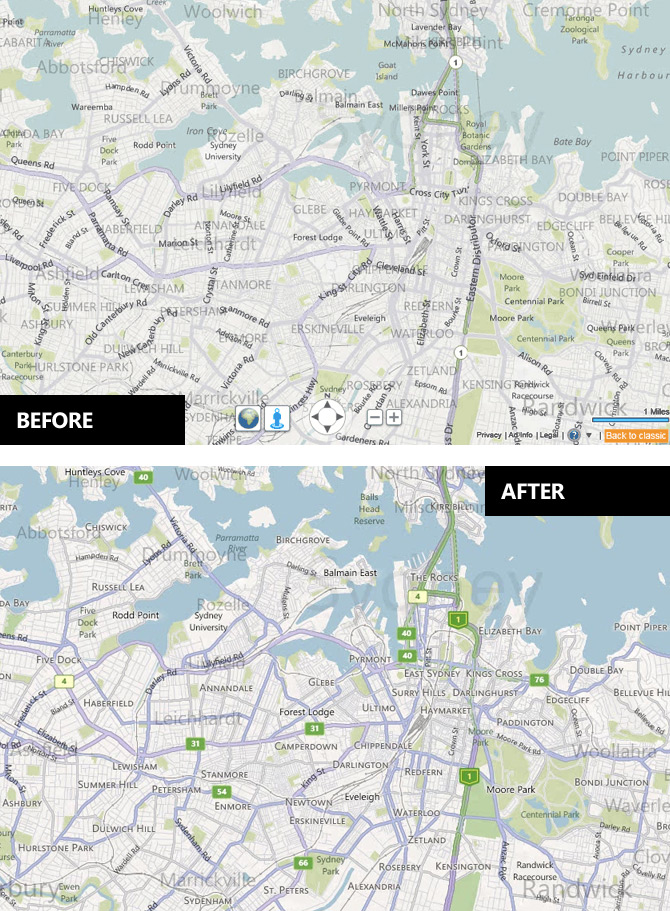
After I quite bluntly criticized the Bing Maps map style update of 2010, it’s only fair to give praise when changes for the better are made.

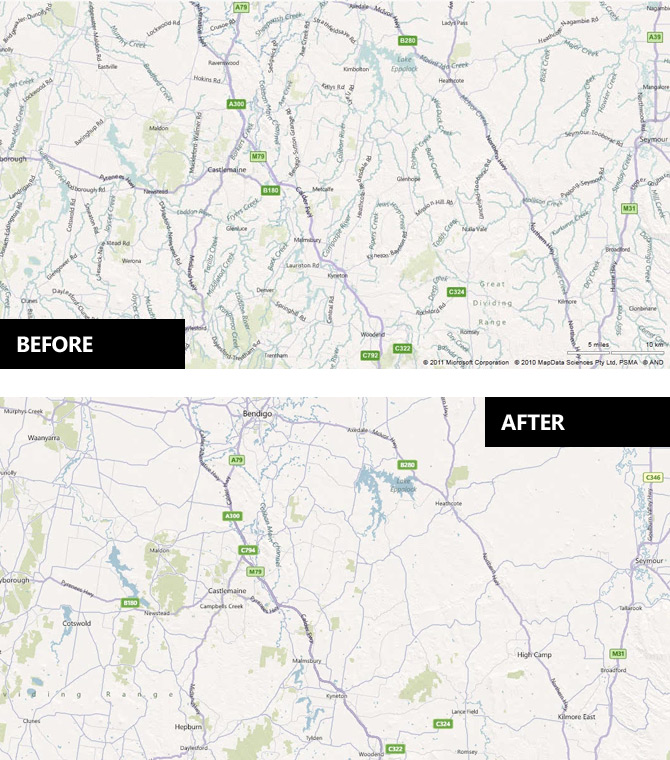
As LiveSide reports, Bing has begun rolling out the “July 2011 Maps Style Update” sporting more prominent borders and higher contrast colorset that addresses many of the issues I was concerned with. In addition, there’s also a much more conservative use of the transparent labels in favor of traditional solid labels to reduce clutter.

If you’re somewhat design curious, the PDF guide reveals many more subtle changes in greater depth which all adds up to a more refined look for Bing Maps.

Although the website has already been updated, it appears the mobile tileset for Windows Phone 7 has yet to be refreshed. Hopefully that will come sooner than later.

Update: The web of rivers are gone (for the better) too!

My first WP7 app: Speedo Plus

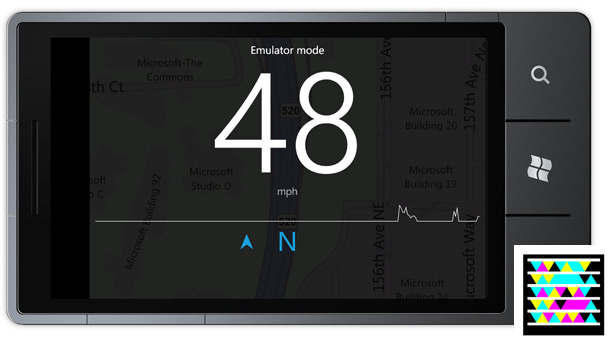
Since spending quite a bit of time on the roads last week, I was desperate for an aesthetically pleasing speedometer app for Windows Phone 7. After sampling the Marketplace, I realized sometimes you just have to get down and dirty to make an app just the way you want.

Having read, written about and evangelized the WP7 development ecosystem for a while now, it’s always good to walk the walk. With MSDN documentation in one hand and Visual Studio in the other, my first app “Speedo Plus” is now available in the Marketplace.

As anyone who’s seen my code would attest to my amateur C# skills, I make no guarantees on the quality of the code except for the fact that it works, or at least have fooled myself and the Marketplace testers. The design and UX however I do make guarantees about.

The tools were great, documentation was a little patchy but making it was a lot of fun, even though certification was frustratingly unpredictable (i.e. the same app passed and failed on policy 2.7.3).

The app is essentially free. The trial is fully featured and does not display ads. Buy the app for US$0.99 only if you want to support me and I look forward to everyone’s feedback.

Microsoft Touch Mouse gets its own multi-touch SDK

Hot on the heels of the Kinect SDK, Microsoft Research is releasing another software development kit (SDK) for a Microsoft natural user interface product. This time, developers will get to tinker with the multi-touch functionality of the (yet-to-be-released) Microsoft Touch Mouse.

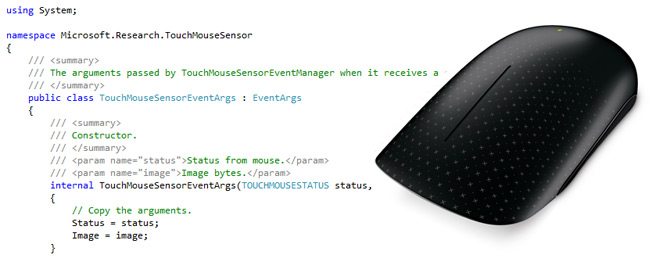
The 32bit/64bit SDK includes both C# and C++ code samples consuming the Microsoft TouchMouseSensor API which outputs a 13×15 grayscale pixel sensor image from the integrated sensor of the mouse itself. Third party developers can then use this image to detect gestures and other multi-touch events.

Although the tiny sensor and non-commercial license will limit the scope of third-party uses for this device, but making available an SDK even before the product’s launch is a notable effort to allow developers to experiment with NUI computing without resorting to brute-force hacks.

Update: Even though Microsoft Research removed the Touch Mouse SDK shortly after I wrote about it, Marco of daliz.info found an interesting test tool included in the latest version of IntelliPoint Pro that shows some nice touch sensor visualizations that might help form the basis of a third-party hack for the Touch Mouse.

WP7 Mango: tap-by-turn voice guidance a necessary evil

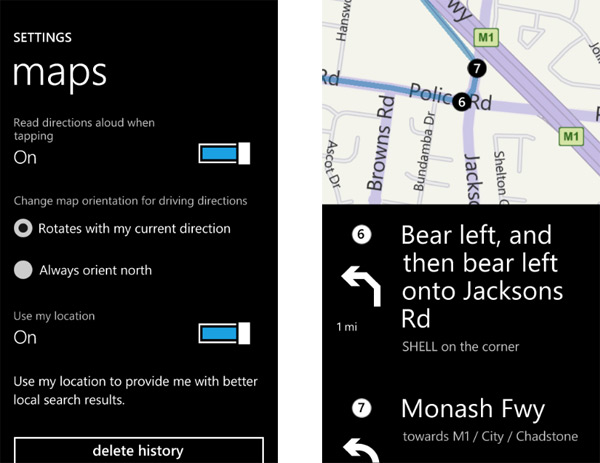
As PocketNow noted in their Windows Phone Mango preview, the new and much anticipated turn-by-turn feature in Bing Maps has a big asterisks that most people are probably not aware of – it requires constant tapping of the screen to activate voice guidance of the next turn.

No, this is not a bug, and no, Microsoft isn’t trying to distract you while driving. What it looks to be is an artificial but necessary evil put in place to not breach a certain licensing restriction with Bing Maps, the provider of the routing data. The public Microsoft Bing Maps Platform API’s terms of use states,

Restrictions on your use: We do have some restrictions on your use of the service. You may not:

– present or alert an end user to individual maneuvers of a route in any way that is synchronized with the end-user’s sensor-based position along the route, (e.g. “real-time” navigation);

Whilst it’s understandable some terms of use restrictions can be exempt for intra-company groups, in this case it’s probably a licensing restriction by Microsoft’s map data provider NAVTEQ. Obviously Microsoft’s recent partnership with Nokia (who owns NAVTEQ but operates it separately) will shake up the licensing agreement but it’s doubtful it will take effect before Mango ships later this year.

Until then, the workaround the Windows Phone team has implemented is simple and effective. Tap the screen anywhere to hear the next turn. Audio alerts will also prompt when you’ve made a correct and incorrect turn. Having said that, users should still be wary of local traffic laws which may disallow any interactions with the device while driving.

WP7 Mango now less crippled down under

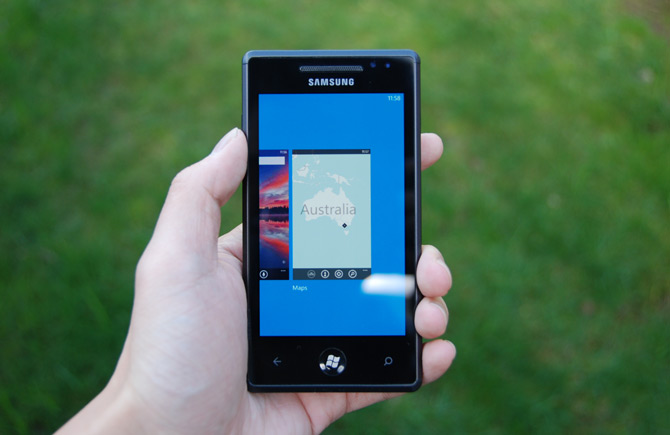
As Microsoft products make the trip across the Pacific, it’s not unusual for features to get lost at sea. After Windows Phone Mango Beta 2 ROM bits were released to the wild yesterday, a quick headcount reveals a surprising number of features that survived the journey – including both RTM and new Mango features.

Here’s what works in the current Mango build when the system region is set to English (United Kingdom) and search region is set to English (Australia) like the default without the region hack.

  • Improved: Speech recognition now supports the full function set (calling, texting, Bing search)
  • Improved: Bing Maps now shows local search listings (e.g. Bunnings) with basic information (address search still tend to default to UK, add state or “Australia” to search to lock to Australia)
  • New: Bing Local Scout works
  • New: Bing Maps directions works with tap-by-tap voice guidance including street names (with British pronunciations)
  • New: Bing Local search works (pivot in Bing)
  • New: Bing Vision works (with conditions, below)
  • New: Speech-to-text and text-to-speech text messaging works

Of course there’s still a few features which fell overboard.

  • Crippled: Bing Vision does not scan books, CDs or DVDs (only text, QR codes and Microsoft Tag)
  • Crippled: Bing Maps local listings does not show reviews
  • Missing: Bing Music Search
  • Missing: Bing Quickcards (go to IMDB app)

Together with the possibility that the Zune collection and Zune Pass will finally see the light of day outside of the US, Mango is finally going to set things straight for Australians and many other countries around the world. There’s still room for improvement but the wins easily outweigh the loss.

P.S. The developer Mango beta NDA agreement has since been corrected to allow for public disclosure and screenshots.