All posts by Long Zheng

Impulsive Recycling Disorder

Recycle Bin

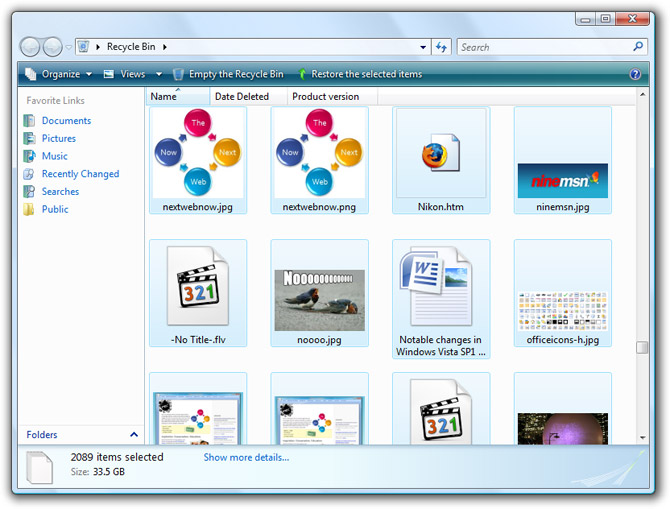
Ever since I’ve had more than 500GB of hard drive space, I’ve started collecting trash – that is, not clearing the Recycle Bin. My current Recycle Bin hasn’t been cleared since late December of 2007, and it’s bulging at over 33GB. On my laptop which has barely 40GB of free space, I clear my bin almost every day. But on my desktop, I’ve gotten into this habit of keeping things in there under the assumption one day something in there might prove useful once again. So far, I’ve only had a few encounters where that’s proven useful.

You always see these current affair stories on TV about people who fill their houses with trash, and it’s disgusting of course. Even though I’m quite an impulsive cleaner in reality, I’m beginning to wonder if I’m having the same problem now, in the digital sense. I have so much hard drive space, I can literally keep everything I’ve ever stored on there, without deleting it. That’s quite a scary thought.

Does anyone else have this problem? How big is your Recycle Bin and how long do you keep stuff in there?

Scoble’s big secret coincides with “Open Source Hero”. (Update2) Apparently not related.

It’s official. The number of tears from Robert Scoble is the new benchmark for software innovation.

Somewhere in Microsoft’s campus, Robert Scoble saw something today that he describes as “software that really changes my world”. He puts the technology in the ranks of the Apple II, Apple’s Hypercard, Excel, Pagemaker, Photoshop, Netscape, ICQ, Netmeeting and Skype.

Apparently us, normal people, will have to wait until February 27 to find out what it is. That leaves 12 days of hype and anticipation, which is also exactly what Scoble wanted.

The rumor-mill has already begun spinning with the few hints we have.

  • The people who demonstrated the technology to Scoble are Curtis Wong and Jonathan Fay. These guys work in the Next Media Group of Microsoft Research who’s focus is media and visualizations.
  • Scoble points out “they’ve been traveling all over the world working with researchers from other institutions and getting data for their new thing”, which suggests there is some sort of data cache already in place that was beyond what was available to just Microsoft.
  • Lastly, “you’ll see techniques that lots of startups are using and, even, that the Google Map team is using. This isn’t stuff that was possible in 1995 so it requires 2008-style Web services and data centers.”

The most obvious answer is of course Photosynth, the interactive 3D browser for large photo collections of a particular place. For that, Peter McCaffrey has gathered some evidence which certainly draws enough connections between what Scoble has described with what can only be the full release of Photosynth to the general public.

But I’m not too sure if that’s it. Certainly Scoble has seen Photosynth before and probably shared his excitement about it at the time, so I find it hard to believe he can be so touched by it again. Update 3: Scoble has confirmed it is not Photosynth.

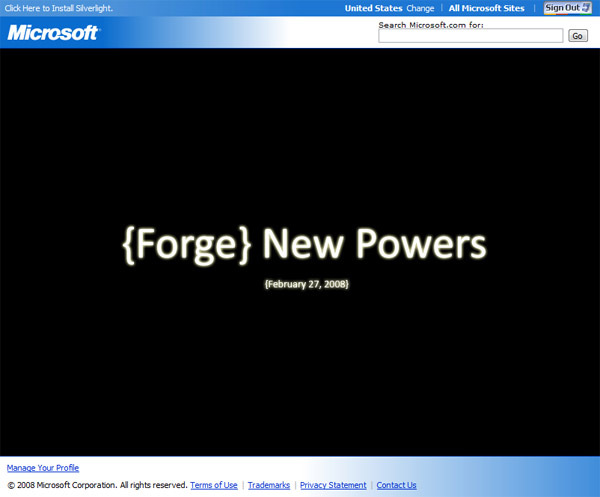
Then I found this from “Bill” in my inbox from yesterday. www.opensourcehero.com. I remember looking at it yesterday and didn’t pay much attention to it because it was just a teaser. But then I looked at it again today, and I shivered.

Microsoft Open Source Hero - Forge New Powers February 27

As far as I know, there’s no apparent connection between this and what Robert describes, besides the date.

Update: It looks like I might be wrong. Open Source Hero is probably related to the “Heroes Happen Here” launch for Windows Server 2008, Visual Studio 2008 and SQL Server 2008 which is incidentally also happening on February 27.

Update 2: Apparently Open Source Hero is entirely unrelated to what Scoble is talking about.

Update 4: Scoble aside, what’s Microsoft’s announcing for open source on February 27?

Windows 7 ‘HomeGroup’: rebirth of Longhorn ‘Castle’?

Windows 7 HomeGroup

Half a decade after its initial conception, Windows Codename Longhorn still proves to be a great source of ideas. One of which known as “Castle”, appears to have been revived to be a feature of Windows 7 as “HomeGroup”.

We know what Workgroups are – Microsoft’s implementation of a peer-to-peer computer network for Windows to share files, printers and other resources. So what are HomeGroups?

That mystery didn’t last very long as someone was kind enough to point me to some well-aged reading material which described exactly what Castle was, and the same person claims what HomeGroups are about to become.

The document I am referencing is the Windows “Longhorn” Pre-Release Privacy Statement (Microsoft.com hosted), published October 24, 2003 for those of you playing along. This was a legal document to give users of pre-release versions of Longhorn an outline of the data collection and use practices of any network-related features that was in Longhorn at the time. Castle happens to be one of them.

It writes, I quote and highlight,

Castle

What This Feature Does:
The “castle” feature allows users to have the networking functionality of the domain, including roaming the user’s profile, machine trust and having a consistent user identity throughout the network. The main difference with Castle is that users do not have to setup a dedicated machine, such as a domain controller, to maintain the trust and identity relationship. It also makes it easy to share and access files on those computers. Each computer on the same subnet can discover and join an existing castle. Or, the user can create a Castle. To join an existing castle, you must know the login credentials of an administrator account already part of the castle. Only non-blank passwords can grant access. This helps ensure only authorized computers join the castle (use of strong passwords for administrator accounts is highly recommended). When a computer joins a castle, the accounts on that computer will be added to the list of accounts accessible from any computer in the castle. User specific data (e.g. their password, access rights, and preferences) will be replicated on each computer in the castle and kept in sync. In addition, the newly joined computer will inherit and respect all policies from the Castle.

Information Collected, Processed, or Transmitted:
To help standalone computers find the available castles on the subnet, the machines in the Castle send a broadcast a beacon containing the Castle’s name. Be aware that if you share a subnet with other people (e.g. your neighbor when using a cable modem without a hardware router/firewall) they may be able to see the name of your castles. In this case only choose castle names you are comfortable sharing with others. When joining a castle, the credentials you enter will be sent using security technology (NTLM) to other computers in the castle.

Use of the Information:
Broadcasting the name of each castle makes it easy to discover what castles are available on the subnet. When joining a castle, the credentials help ensure only authorized computers join the castle.

Choice/Control:
The user must initiate joining a castle using the user interface provided. Whether the user’s computer is able to join a castle depends on whether an administrator of a computer already part of the castle has provided the user with the appropriate credentials. When a castle is formed, a beacon containing the castle name will be broadcast. In this release there is no easy way to disable the beacon. A mechanism to disable the beacon will be added in a future release.

Important Information:
The Internet Connection Firewall (ICF) is enabled by default in this software. Therefore, if you create a Castle, it will send out the beacon, but because ICF is enabled, other computers running this software that have the firewall enabled won’t see the beacon.

If HomeGroup is indeed Castle byte for byte, then what it is basically is the equivalent of an enterprise-grade Active Directory roaming-profile network setup simplified into a wizard dialog with a password field and checkboxes. If it’s not, well, that would be a shame.

From what I understand, Castle was intended to supersede Workgroups which could translate into HomeGroups eventually replacing Workgroups in Windows 7 as well. I think a move most people who’s ever been puzzled by home networking would welcome.

In Soviet Russia, Windows 7 finds you

If you thought you knew all there is to know about Windows 7 Milestone 1 Build 6519, think again. TGDaily and ThinkNext may have broken the news, but both have done a pretty sloppy job of uncovering what is exactly in Windows 7 M1. This is where the trusty Russians come in.

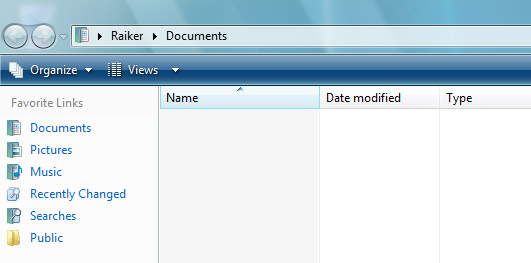
Microsoft enthusiast “Raiker” has recently posted his own findings of this infamous yet mysterious leaked build of Windows 7. Surprisingly weeks after the first screenshots were published, he’s still able to uncover some small gems the other guys missed. The article was written in Russian, but Google Translate helps get most of the ideas across. (via UX Evangelist)

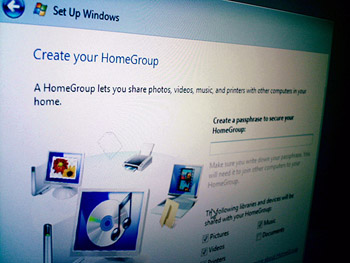
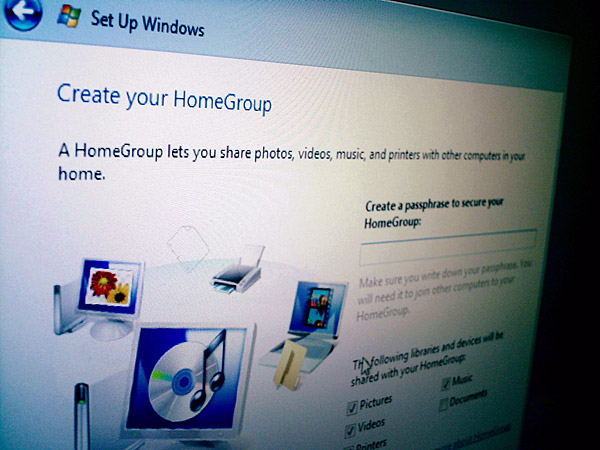
First and foremost, Raiker discovered during the initial setup, Windows 7 also asks you to set up a HomeGroup.

HomeGroup

Whilst there’s no explanation what HomeGroup is exactly, but it doesn’t take a rocket scientist to connect the dots between the all-too-familiar WorkGroup and HomeGroup. As far as I know, WorkGroups doesn’t support passphrase security on a network level as HomeGroup seems to suggest it does. I only wish he had clicked on “Learn more about HomeGroup” at the bottom of that dialog box.

Windows 7 Taskbar

Raiker was also sharp enough to point out that they’ve made changes to the appearance of the translucent taskbar. Looking at either individually, you might not see a difference, but when you put them side by side it’s rather obvious. The Windows 7 taskbar (left) is far more glossy but far less transparent than the Vista one (right).

Windows 7 maximized windows

Raiker also noted that maximized windows remained translucent, not the color-filled background some Vista users have complained about. However he speculates this could be simply be an unintended bug, and I concur because filled-backgrounds still makes sense from a usability point of view.

Wipe and Reload

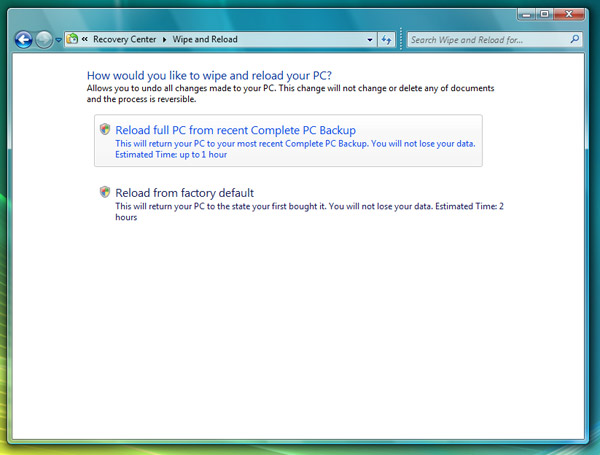
The other fascinating feature Raiker uncovered was “Wipe and Reload” in the Control Panel. Now this is extremely fascinating and potentially game-changing for both OEMs and end-users because what it describes it does is what most people waste a hell-of-lot of time doing anyway, that is formatting their hard drive and reinstalling Windows to get that fresh new smell. Imagine doing that without juggling discs and scourging for that Windows license key.

Windows 7 Windows Media Player

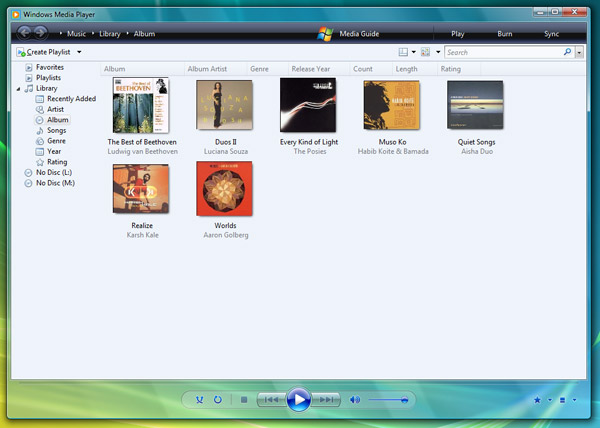
Windows Media Player is also in for a small update. From what we can see, only the menu bar has been modified so far with some of the items relocated around. Also some of the mini icons on the bottom right corner has been changed, but that’s nothing compared to what’s coming up next.

Windows 7 Calculator

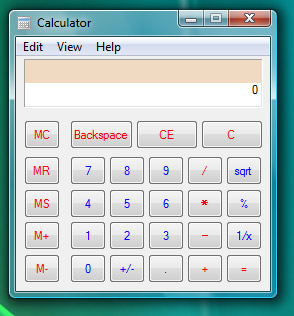
Last but certainly not least, the new calculator. Low and behold this incredible piece of software engineering and revolutionary user interface. With now two lines of numbers, it’s pretty much game over OSX and Ubuntu.

Head over to Raiker’s “Whats Next” blog for the full details and the entire screenshot gallery.

Tina Wood helps simplify Microsoft acquisitions: aQuantive and Yahoo

If you’re a little confused to why and how Microsoft makes acquisitions, Tina Wood at Microsoft’s On10 community has kindly produced this video debunking some of the Microsoft myths, in which, she demonstrates the thought process behind these acquisitions. Here’s a quick snippet.

[flv:tinawood_microsoft_acquire.flv 580 432]

If you like what you see, check out the whole video at On10.net.

Power efficiency enhancements in Vista SP1

PowerMost if not all the attention surrounding Windows Vista Service Pack 1 has been around performance, reliability and compatibility, but you probably didn’t know SP1 also makes short strides in terms of Vista’s power efficiency. And by short, I really do mean short because we’re talking about improvements in the magnitude of only a couple percents. That in the context of 5 hours battery life is a mere additional 6 minutes. Having said that, some is better than none.

The first of two improvements is in the display subsystem. As you are probably aware of, the Desktop Window Manager (DWM) in Vista utilities the 3D rendering capabilities of your graphics card to draw the desktop and windows.

If you’ve ever played 3D games, you might have come across a graphics option called VSync. In a nutshell, VSync makes sure the output of the graphics card is synchronized with the refresh rate of your monitor. This prevents moving images from an effect of being teared. By design, Vista enables VSync to prevent a glitch free experience.

The side effect of VSync however is that it requires an interrupt to the CPU to maintain its sync. The default VSync rate for most users is 60Hz which means an interrupt occurs once every 16 milliseconds. As you might have guessed, this continuous interruption can prevent the CPU from entering a low-performance state where it is conserving energy.

Starting from SP1, the VSync functionality no longer runs continuously. Instead, the interrupts are disabled after a short timeout period where no screen updates has occurred. The default timeout period is 10 VSync periods which translates to 160 milliseconds (0.16 second) on a 60Hz screen. The catch is that a screen update can be anything from a blinking cursor to a flashing network icon, so the chances of a screen idle might be a lot less than you would imagine. Microsoft estimates VSync can increase power consumption from 1 to 2 percent.

The second improvement is in the audio subsystem and only concerns those with HD Audio codecs (not AC97). In Vista RTM, the audio device will never idle regardless of whether or not it is mute or if there’s any sound processing being done on the device, thus sucking power even when you’re not hearing any sound at all.

Starting from SP1, the default idle timeout for has been changed to 30 seconds. This means on battery power if the audio device is not rendering audio for a continuous period of 30 seconds, it will actually switch the audio device to a D3 power state. By definition, this means the device is off and should not consume any energy at all. Whilst Microsoft doesn’t give any indication of potential power savings, I presume this will have more of an effect than the VSync enhancement.

Before any of this matters, both of these changes also require some work on behalf of the hardware vendor. In the case of the graphics driver, it involves adding an additional flag in the source code and recompiling it with the new framework. In the case of the audio driver, it will have to direct the hardware to enter into a low-power state after a period of audio idle. Besides Microsoft’s default drivers, I’m not aware of any third-parties already supporting these enhancements but I hope they will soon.

If any laptop users with Vista SP1 have noticed a dramatic increase in battery life after SP1, please share your system specification and how much of an improvement you saw. If you don’t have SP1 already, it only means you’re not looking hard enough.