nsquared demos “seamless computing” prototype at TechEd Australia 2011

An Australian software development company specializing in Surface applications took the spotlight of the Microsoft TechEd Australia 2011 developer keynote today with a pretty compelling “seamless computing” demo utilization the whole deck of Microsoft platforms including Windows Phone 7, Surface, Windows 7, Kinect and Silverlight.

The demo features a scenario where an architect is working on a house design project and needs to find a replacement part for a door handle that is no longer available. To visualize the change, they utilize a system that brings together the phone, a tablet, an interactive surface and gestures working in unity.

Although Microsoft is known to feature such integrated experiences in many of their concept vision videos and ads, seeing a live demo (albeit scripted in some areas) with commercially available hardware and platform tools is still very satisfying. With the increasing attention on NFC, I’m optimistic scenarios like this aren’t too far away from mainstream adoption.

Update: One notable outcome of this project is that Microsoft and nsquare are going to be giving away the source code of the whole solution to universities (and others) for user experience education purposes.
Microsoft TechEd Australia 2011 kicks off with two keynotes and geek stories

Finally, developers and IT professionals no longer have to argue about the focus of the TechEd Australia keynote.

This year, Microsoft Australia trialed an interesting new hybrid keynote format where IT pros and developers take separate keynotes first and come together for a combined “general” keynote later. From early impressions, it seemed to satisfied both crowds.

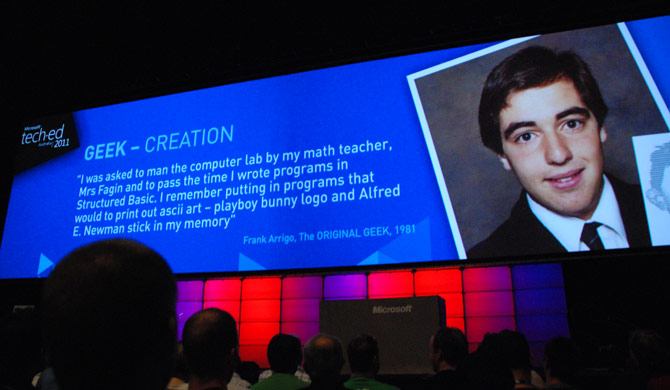
The theme for this year’s event is showing “geek” pride. To set the tone, Australian comedian Adam Spencer introduced a host of interesting speakers from a range of backgrounds – film maker, maker of Cochlear implants, children’s book writer and the managing director of Microsoft Australia to share their personal geek stories.

The most memorable of which was Adam writing incorrect answers to a surprise maths test in grade 2 which a popular kid in class copied, only to erase and correct it after the kid handed the results in. Little did the other kid know the answers were all off by 20.

Does anyone else have an interesting geek origin story?

Microsoft ad showcases sweet Windows, Windows Phone, Windows Live & System Center synergy

It feels like just the right amount of time since we’ve seen one of these feel-good promotional videos from Microsoft. The latest, called the “Microsoft Flexible Workstyle Ad”, would easily take the trophy for the most products featured in a single video.

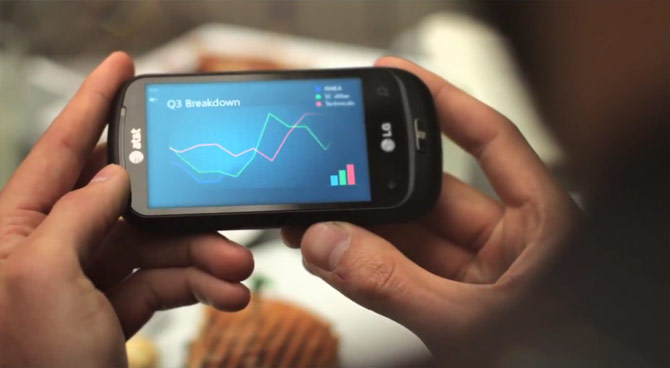
The cast of honors include several Windows 7 tablets and desktops, Windows Live SkyDrive, Lync Communicator, Microsoft RoundTable, Fujitsu Stylistic Q550 Slate, Office 2010 Broadcast Slideshow, LG Quantum Windows Phone 7, Samsung Focus and System Center 2010.

On a lighter note, it’s kind of funny the only thing that stands out in the video as not realistic are the overwhelming lens flares.

Update: The video has since been removed by Microsoft, for reasons beyond me.

Socialite: Microsoft’s social client for Windows 8?

I don’t normally pay too much attention to what applications appear on my Facebook news feed but recently “Socialite” caught my eye for no other reason than an interesting icon. Digging deeper, this otherwise generic application placeholder reveals an intriguing connection to Windows 8.

A useful feature of Facebook Applications is the ability to view who of your friends use the application. In this case, it provides an invaluable context.

Out of the 393 currently active monthly users reported by Facebook, the 10 people I can see using the application and the listed developer of the application are all Microsoft employees who work in the Windows organization and presumably on Windows 8. Even the President of the Windows group, Steven Sinofsky, is also a user. However due to interesting circumstances (he blocked me on Facebook), I can’t verify this personally.

It was only days ago Mary Jo Foley revisited the “[email protected] Twitter application shown briefly during the Windows 8 demo at the D9 Conference. Although Socialite is also the name of a Mac social application, it should imply a much broader reach than just Facebook.

As the social integration in Windows Phone 7 is proving to be a practical and useful differentiator of the platform, it would make a lot of sense for Microsoft to bring similar functionality into Windows 8 as well, and Socialite might be at the heart of it. Having said that, hopefully there’s still room for MetroTwit.

WiFi internet sharing/tethering in Mango tidbits

WPCentral broke the exciting news today that internet sharing/tethering is not only coming in Windows Phone but is actually baked in to the impending Mango update. Since the details are still sketchy, I started digging around to find out how this feature works.

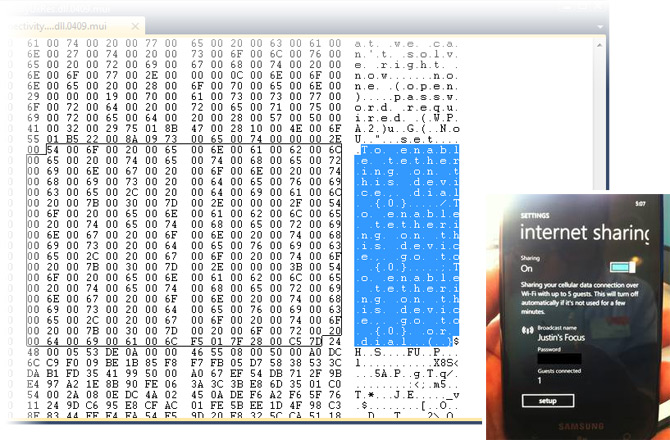
Following the breadcrumb trails of a tip from Aleksandr “@Arktronic”, I came across some localization files which gives some clues about how the tethering functionality can be enabled.

The two strings that caught my eye, “To enable tethering on this device dial {0}” and “To enable tethering on this device, go to {0}”, would suggest tethering will not be enabled by default. Instead, users will have to call their operator or visit their operator’s website to have the feature enabled (provisioned) remotely.

The localization files also reveal users will be able to choose between no encryption (Open) and WPA2 encryption for hotspot security and the number of guests allowed is also customizable, presumably by the carrier.

With registry editing access locked down in Mango, manually overriding this functionality may prove difficult but I’m sure top minds are at it already. As someone who has used the same feature on Android many times over, this couldn’t come soon enough.

Dissecting the Windows 8 file management video

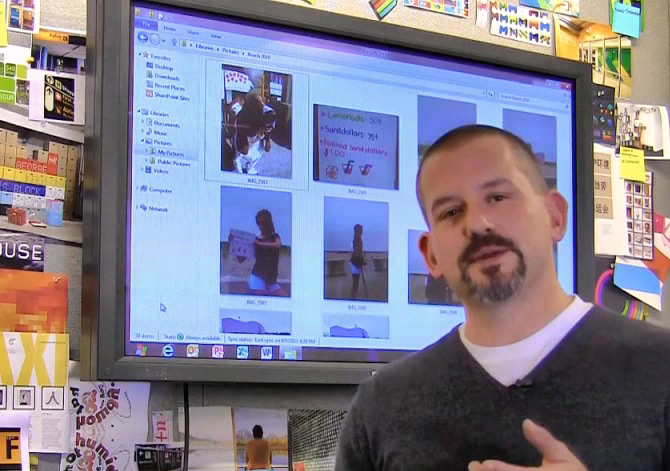
The flood gates of Windows 8 are slowly opening and the latest bit of news to trickle out of Microsoft’s freshly pressed “Building Windows 8” blog is a brief look at some improved file management features. Although the accompanying video looks innocent enough, it does subtly reveal a few other tidbits about a potential Aero facelift.

The most obvious of which, as WinRumors has also noted, is the solid-shaded Windows flag in place of the Start button. Some suggests this button will launch the new tile-based Start experience which is reasonable considering the similarities to the Start button within the touch experience.

On closer inspection, the taskbar itself seems to blend completely to the background without obvious borders or shading.
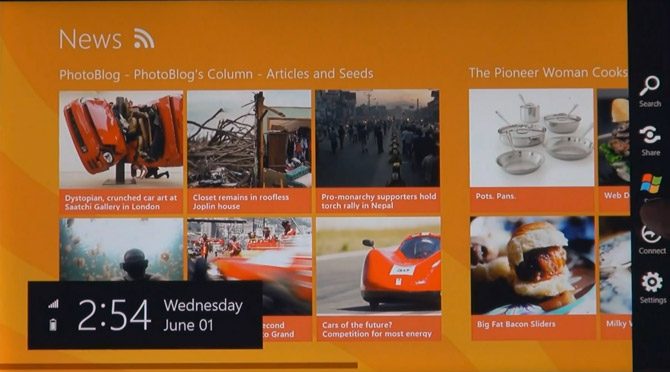
Although the video resolution could be playing tricks, it’s practical the new taskbar simply floats on top of the wallpaper with only a button surrounding active applications for a more minimalistic look.

Next, the Window chrome seems to have been reduced to just a drop shadow.

The glass edge encompassing the application seems to have been remove entirely, leaving what seems to be a drop shadow underneath the rectangular client area. I really hope this turns out to be the case since the chrome-less aesthetics on Mac OS X is much more appealing for modern applications.

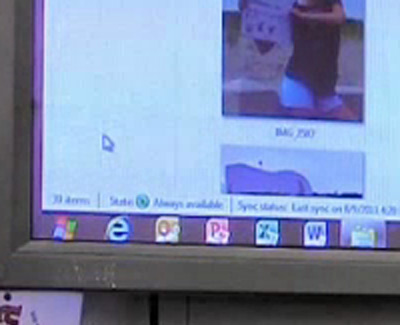
Last but not least, Windows Explorer also displays a “syncing” status in the status bar. The icon and terminology “Always available” suggests this is an extension of the “Offline files” feature that already exists in Windows 7 and earlier, however it’s prominence in the status bar confirms that syncing will be a much more common task in Windows 8.