iPad iOS 5 & Android Honeycomb: opportunities for Windows 8

In a matter of days, Windows 8 will be unwrapped like a Christmas present in September. Unlike any Windows before it, a new touch-centric Start experience and the new application experiences it empowers is likely to take most of the spotlight.

Having owned a Toshiba Portege M400 Tablet PC, it’s easy to see where Microsoft got right and wrong with the tablet endeavor almost a decade ago. No doubts from what little we’ve seen of Windows 8 so far from the D9 demo and recent MSDN blog posts, this time it’s different and it’s serious.

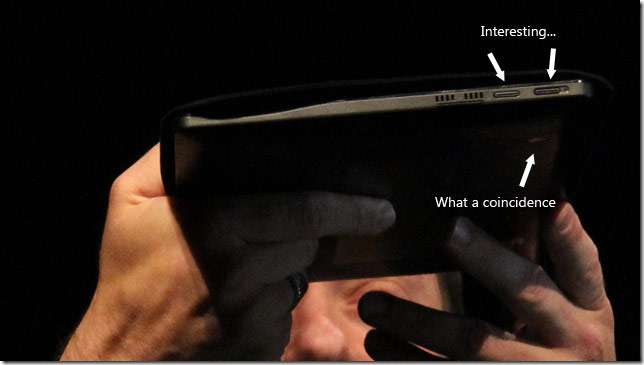
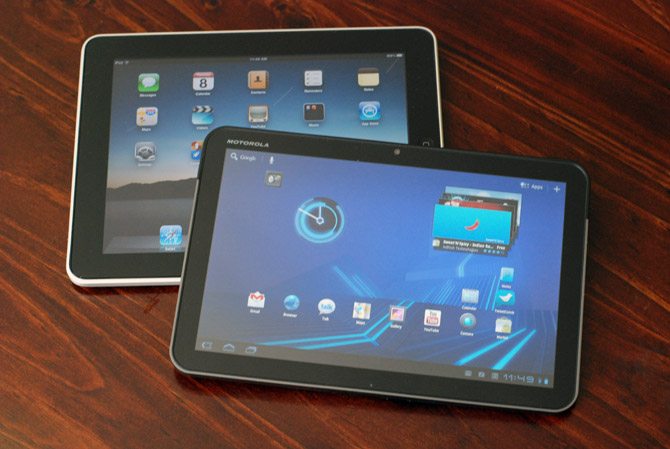
With the iPad well established in the market of tablet computing and Android Honeycomb tablets like the Motorola Xoom making a small splash, Windows 8 is going to face immense competition from day one. Having said that, there are still a number of unfulfilled opportunities that Windows 8 can take advantage of, assuming it can get the basics right.

Live tiles

The simple grid of icons in the iOS homescreen is almost an icon in itself, but it only provides the basic functionality to manage and launch applications. On the other hand, Honeycomb’s homescreen allows for interactive widgets but the lack of consistency between them makes for a very jarring experience.

From what we’ve already seen of Windows 8, it will feature the same live tiles from Windows Phone 7. Live tiles can offer snippets of contextual information in a consistent format that can be updated without actually launching the application. Developers can also differentiate similar applications by exposing better live tiles.

Application diversity

Since Windows 8 is backwards compatible with Win32 applications, it will likely run the full suite of Windows applications that a large group of people and businesses depend on day-to-day. Although backwards compatibility has negative connotations, games, line-of-business and specialized applications are still important to a lot of people. iOS and Android mobile ports are useful, but sometimes you just need the full Photoshop, AutoCAD or Visual Studio experience.

Having an operating system on a single device that can cater to the best of both worlds independently means you only need one device instead of two to do both tablet computing and traditional PC computing.

Social integration

Only recently has Apple started building social integration into its core platform with iOS 5’s native Twitter functionality. Google on the other hand has much more pervasive integration of its services (search, Gmail, Picasa, YouTube, Google+) in Android Honeycomb, but in most cases these are still per-application experiences.

There are hints that Windows 8 will feature the same deep social integration in Windows Phone 7 which already features Windows Live, Facebook, Twitter and LinkedIn. If Windows is able to surface friends, status updates and media universally in the operating system and make it easy to publish to social networks, it’ll make keeping in touch with friends and family that much easier.

Peripherals support

One of the weakest aspects of the iOS is the ability to interface with other standard devices and external storage which has encouraged a diverse range of Apple-exclusive accessories. One such accessory, the iPad Camera Connection Kit should be a feature built into every device to make managing simple tasks like browsing and sharing photos much more accessible. I’m confident Windows 8 devices will have built-in SD card readers and the ability to manipulate content on them.

Assuming one can also simply plug in any USB keyboard and mouse to a Windows 8 slate, it will be a powerful capability to have a simple touch experience on the go and a productive typing experience at the desk with the same device and operating system.

Hardware diversity

Microsoft has proven with Windows Phone 7’s chassis specifications that it can balance between consistency and differentiation in hardware. Should similar requirements exist for Windows 8 devices, it would make sense to see a range of PCs with specifications catered to different audiences such as variations in display sizes, screen technologies, speakers and battery life.

Since this is nowhere near an exhaustive list, it does highlight just a few aspects of Windows 8 that I think will have an advantage over iPad’s iOS and Android Honeycomb. Whatever the case may be, it’s going to be an interesting year for operating systems.
TechQuest adds 45 achievements to Microsoft TechEd Australia conference

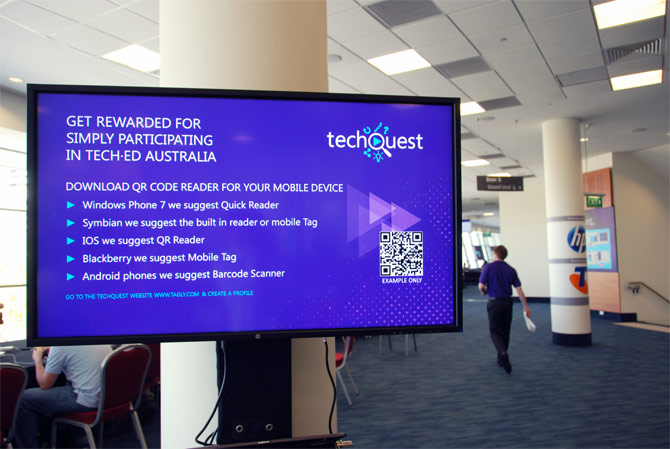
Attending technology conferences just got a lot more fun and rewarding. This year at Microsoft’s TechEd Australia 2011 conference, attendees got the chance to try an innovative new service that adds an element of social gamification to the conference with a $9000 prize pool.

By bringing the concept of achievements to real physical environments, the TechQuest TechEd 2011 competition encourages attendees to explore the venue, participate in activities and meet people for the chance to scan QR codes with their phone to reward them with a “badge”.

Obviously the more badges the merrier, however there are also rewards for a particular collection of badges, including hidden ones that are not listed on the website but clues are given out on the event’s Twitter feed.

During the 4-day event, 997 registered players scanned and were rewarded 5017 badges with an average of 5 badges per player.

When over $9000 of prizes is on the line – including HP TouchSmart PCs, XBOX Kinect bundles and Windows Phone 7s, it’s only normal some people want to gain an edge. At least one user was found cheating the system and had his competition account reset.

Out of the 45 possible achievements, some of my favorite include:

  • Nok Nok, who’s there?: Visit the Nokia Phone stand.
  • Levelled up: Be a clever clog and pass an Exam while at Tech Ed to win
  • The Golden Kebab: There’s nothing like a late night lamb sandwich on the way home after a big night out, and who better to serve it up for you than the Greeks from the birthplace of civilisation.
  • Rest Azured: There’s a bunch of awesome Azure resources you need to know about. Check them out and you can get the achievement.

The winners of the competition will be announced at the TechEd Australia closing keynote this afternoon.

Kinect Windows SDK to live on in Microsoft Research

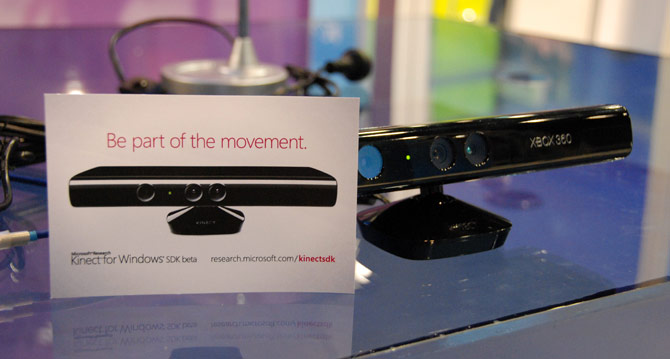
It’s only been two months since the availability of the the Kinect for Windows SDK beta but the reception and creativity of the wider developer community are already pushing expectations for natural user interfaces. To continue the community spirit, it’s been confirmed the SDK is going to remain in the sharing and caring hands of Microsoft Research for the foreseeable future.

At TechEd Australia, Stewart Tansley of Microsoft Research also revealed that contrary to the more common transition of technology from MSR to a commercial Microsoft product, it was actually the Xbox team who contacted MSR’s computer vision experts to assist them with the Natal project which they had already made remarkable progress on their own. Of course now going forward they will be working collaboratively to continue the Kinect’s development for both the Xbox and PC.

The use of Kinect in nsquared’s “seamless computing” concept was one of many examples of an innovative exploratory project that Microsoft Research thinks help refine the relatively new concept of natural user interfaces. It also wants to encourage the community to learn from each other through sharing code and libraries that help set the framework for more advanced NUI development in the future.

Of course for those who have commercial interests for the Kinect, the commercial-licensed SDK is still in the works and will actually be a superset of the current SDK with additional flexibility. Although he couldn’t share exactly what that involves, even with what’s available today, projects like the Kinect Fusion are just scratching the surface of what is possible.

Windows 8 Explorer gets a ribbon, everybody gets a ribbon

I’m still reserving judgement on the ribbon UI in Windows 8’s Explorer application until I can spend some time using it. Nevertheless I can still appreciate a ribbon when I see one, a real one.

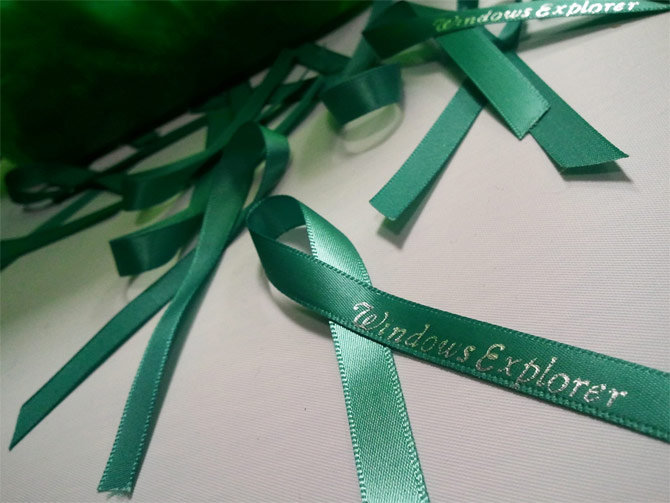
Thanks to a heads up from Richard Burte, Ilana Smith, an Aussie (oi oi oi) Microsoft designer who works on the design team responsible for the Explorer ribbon, posted a photo teasing some of the 600 ribbons she had made for an internal event with the words “Windows Explorer” printed on.

According to Ilana, if the real thing is any indication, it was in popular demand.

Green Button makes Pixar’s RenderMan concept on Windows Azure a reality

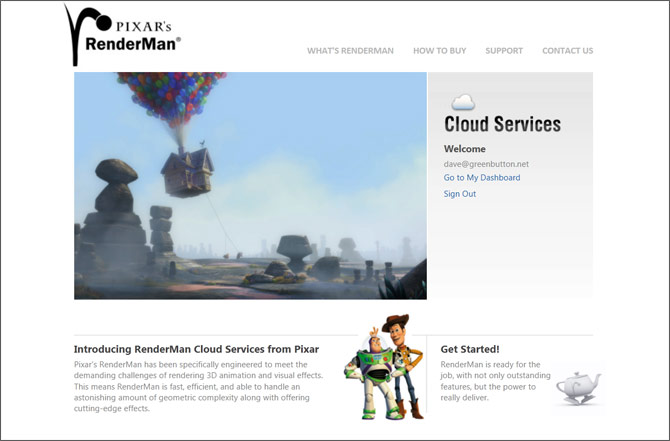
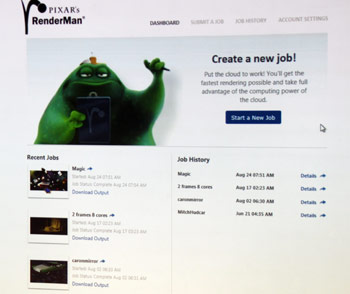
At last year’s Professional Developers Conference 2010, Microsoft partnered with Pixar to show off a fundamentally significant proof of concept for Windows Azure by taking the industry-leading RenderMan software to the cloud. Less than a year later, the concept is now a reality with production ready code.

Speaking at Microsoft TechEd Australia 2011, Dave Fellows of the Green Button, a New Zealand software company that specializes in cloud services is helping Pixar port their rendering software to Windows Azure. RenderMan Cloud Services currently in beta testing and will be available generally soon.

The company which actually shares its roots in Weta Digital saw the possibility to sell extra data center capacity to “spike workloads” at the conclusion of production for the Lord of the Rings trilogy. It was later approached by Microsoft which shifted their attention to Windows Azure.

Green Button now partners with many software vendors to offer cloud computing integration into their app with an interesting shared revenue model, which Pixar is also part of. Although the RenderMan web interface is targeted at small-scale 3D projects, they’ve also built more specialized tools for professional studios.

Since render projects are a great example of a “spiked workload” with intense computing requirements for a limited time, RenderMan which was previously out of reach to many smaller scale 3D projects can now be more affordable on Windows Azure. A demo scene which usually would have 30 minutes to render was rendered in 25 seconds on 360 cores for just 30 cents.

The next time you see a feature film or photorealistic CAD model which RenderMan is behind so many already, there’s a chance it may have been rendered in the cloud, powered by Windows Azure.